Definition:
ROAS stands for Return on Ad Spend. It is a marketing metric that measures the revenue generated for every dollar spent on advertising. ROAS is calculated by dividing the total revenue from an ad campaign by the total cost of that campaign.
ROAS in Mobile Marketing:
In mobile marketing, ROAS is one of the most important indicators of campaign efficiency and is used by UA teams to evaluate performance, compare channels, and make budget allocation decisions.
Formula:
ROAS = Total Revenue / Total Ad SpendWhat is ROAS?
ROAS, or Return on Ad Spend, measures how efficiently your advertising budget is generating revenue. It tells you how much revenue you are getting back for every dollar you put into a campaign.
If a campaign costs $1,000 and generates $4,000 in revenue, your ROAS is 4. That means for every dollar spent, four dollars came back. A higher ROAS means your campaign is generating more revenue relative to what you are spending. A lower ROAS means it is generating less.
For mobile marketers, ROAS is a core performance metric. It cuts through the noise of impression counts, click rates, and install volume to answer the question that actually matters: is this campaign making money?
ROAS is used to evaluate individual campaigns, compare performance across ad networks, identify which channels are delivering the best returns, and determine where to increase or reduce spend. It is also a key input for forecasting, budget planning, and setting acquisition targets.
What Does ROAS Stand For?
ROAS stands for Return on Ad Spend. Breaking that down:
- Return: The revenue generated as a result of the campaign
- On: The relationship between revenue and the investment that produced it
- Ad Spend: The total cost of running the advertising campaign
ROAS is expressed as a ratio or multiplier.
A ROAS of 3 means three dollars of revenue for every one dollar spent. It is sometimes expressed as a percentage, where a ROAS of 3 would be written as 300%.
What Is ROAS in Marketing?
In marketing, ROAS is a measure of advertising efficiency. It answers the question: how much revenue did this campaign produce relative to what it cost?
ROAS is one of the most widely used metrics in performance marketing because it directly connects spend to revenue. Unlike metrics that measure engagement or awareness, ROAS measures financial return. That makes it particularly useful for UA teams managing budgets across multiple campaigns and channels where the goal is profitable growth.
ROAS is used at every level of campaign analysis. You can calculate it at the campaign level, the ad group level, the creative level, or the channel level. Each view gives you a different lens on where your budget is working hardest.
In mobile marketing specifically, ROAS takes on additional complexity because revenue from a mobile app often accumulates over time rather than in a single transaction. A user who installs your app today may generate revenue over the next 30, 60, or 90 days through in-app purchases, subscriptions, or ad engagement. This is why mobile marketers use N-Day ROAS to track how revenue from a cohort builds over time relative to the original acquisition cost.
How to Calculate ROAS
The ROAS formula is straightforward:
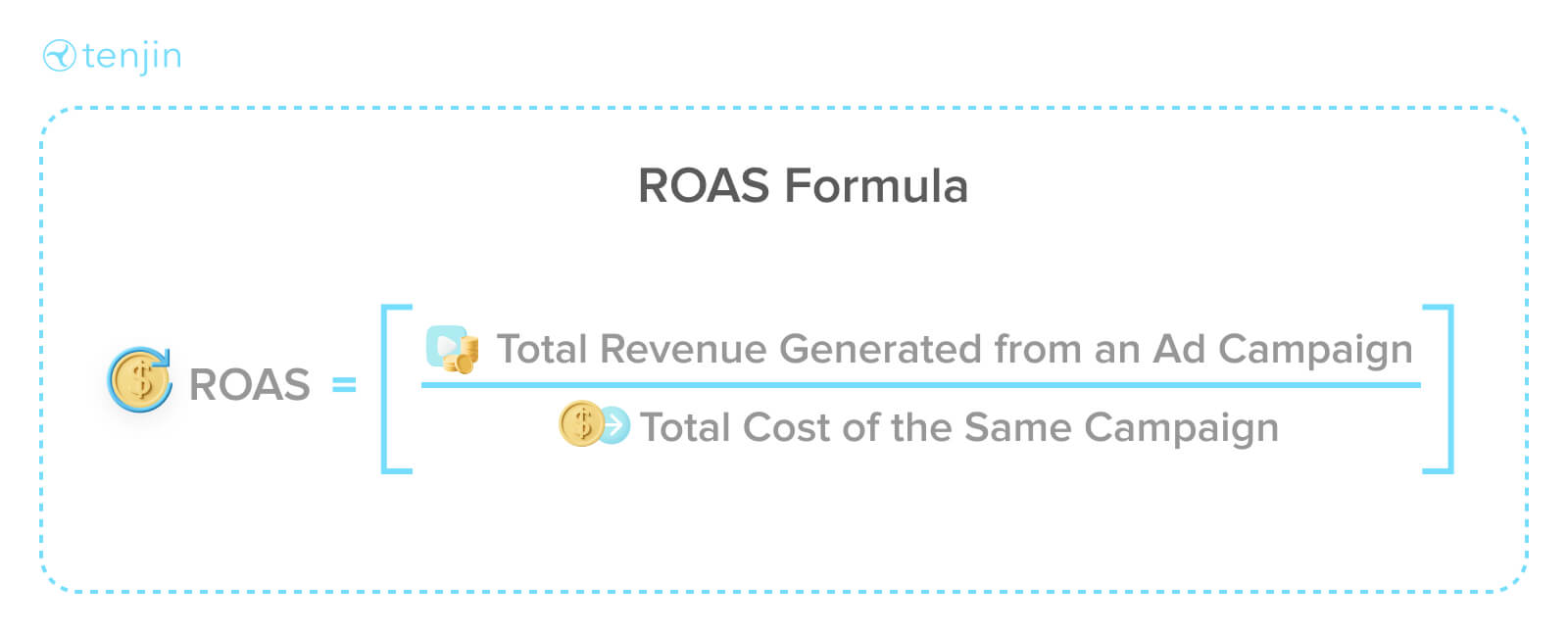
ROAS = Total Revenue / Total Ad Spend
Example: If your ad campaign generated $500 in revenue and the total cost of running the campaign was $100, your ROAS is 5.
$500 / $100 = 5x ROAS
This means for every dollar spent on that campaign, five dollars in revenue was generated.
Expressed as a percentage: ROAS can also be expressed as a percentage by multiplying the result by 100. A ROAS of 5 would be 500%, meaning the campaign returned five times the amount spent.
How ROAS Is Calculated in Tenjin
In Tenjin, ROAS is calculated as Average N-Day ROAS Percentage. This is the cumulative total revenue generated N days after install, divided by the spend for that cohort.
The N-Day framing is important in mobile marketing because it accounts for the fact that user revenue accumulates over time. A user acquired today will not have generated their full lifetime revenue by tomorrow. N-Day ROAS lets you track how the return on a cohort develops at 7 days, 14 days, 30 days, 60 days, and beyond, giving you a more accurate picture of campaign efficiency than a single point-in-time calculation.
Tenjin includes a full set of ROAS metrics in the dashboard covering different time windows and revenue sources. You can find the complete list of ROAS metrics and their descriptions in the Tenjin documentation.
Ad Mediation ROAS vs Session-Based ROAS
Tenjin supports two distinct ROAS calculations that reflect different approaches to measuring ad revenue:
Ad Mediation ROAS
This calculation uses impression-level revenue data (ILRD) from your mediation platform to attribute ad revenue to specific users and cohorts. Because it ties ad revenue directly to individual users, ad mediation ROAS gives you a more granular and accurate view of how ad monetization contributes to overall return.
Session-Based ROAS
This calculation uses aggregated session data to estimate ad revenue contribution. It is less granular than impression-level data but can be useful in setups where ILRD is not available.
Understanding the difference between these two methods matters for interpreting your ROAS figures correctly. You can read a detailed breakdown ofthe difference between ad mediation ROAS and session-based ROAS in the Tenjin documentation.
How to Measure ROAS Across Ad Networks
One of the practical challenges of measuring ROAS in mobile marketing is that your campaigns run across many different ad networks, each with its own reporting interface and data format. Getting a unified, comparable view of ROAS across all your networks requires bringing cost and revenue data together in one place.
Here is how to approach it:
Connect Cost Data From All Networks
Your MMP can pull spend data from every network you are running campaigns on. Without accurate cost data, ROAS cannot be calculated correctly. Gaps in cost data mean gaps in your ROAS figures.
Use a Consistent Revenue Definition
Decide what counts as revenue in your ROAS calculation and apply it consistently across all networks. For apps with hybrid monetization, this should include both IAP revenue and ad revenue. Using different revenue definitions for different networks makes comparisons meaningless.
Use N-Day Windows Consistently
When comparing ROAS across networks, make sure you are comparing the same N-Day window for each cohort. A 7-Day ROAS for a campaign that launched last week is not comparable to a 30-Day ROAS for a campaign that has been running for a month.
Normalize for Cohort Start Dates
Campaigns launched at different times will naturally show different ROAS figures if you compare them at the same calendar date. Cohort-based ROAS, measured from the install date rather than a fixed calendar date, gives you a fair comparison across campaigns that started at different times.
Look Beyond Last-Click
Some networks will show strong last-click ROAS because they are capturing credit for users who were already likely to convert. Cross-referencing your MMP's attribution data with network-reported figures helps you identify where credit assignment may be inflated.
Tenjin pulls cost data directly from hundreds of ad networks via API integrations and combines it with attribution and revenue data in a single dashboard, making cross-network ROAS comparison straightforward without manual data reconciliation.
What Is a Good ROAS?
There is no single answer to what constitutes a good ROAS. It depends on your app category, monetization model, margin structure, and campaign goals. A ROAS that is profitable for one business may be unprofitable for another.
That said, here are some useful reference points:
Break-Even ROAS
Your break-even ROAS is the point at which revenue equals spend. For a pure direct-response campaign where ad spend is the only cost, break-even ROAS is 1. In practice, most businesses have additional costs beyond ad spend, so the break-even ROAS will be higher depending on your margin structure.
Industry Benchmarks
ROAS benchmarks vary significantly by app category. Gaming apps typically target different ROAS thresholds than subscription apps or utility apps. Rather than chasing a universal benchmark, focus on understanding what ROAS makes your specific business model profitable and use that as your target.
Time Window Matters
A 7-Day ROAS of 0.3 might look poor in isolation but be entirely reasonable if your 90-Day ROAS for the same cohort consistently reaches 1.5 or higher. Understanding how your ROAS develops over time is more useful than evaluating a single data point.
Channel and Creative Variation
ROAS will vary across networks, campaigns, and creatives. The goal is not to find one magic number but to understand the ROAS range across your portfolio and use that to guide budget allocation decisions.
How to Improve ROAS
Improving ROAS means either increasing revenue from your campaigns, reducing spend while maintaining revenue, or both. Here are practical approaches:
Segment Your Audience
Different user segments generate different amounts of revenue. Identifying your highest-value segments and targeting campaigns toward them improves the quality of traffic coming in, which improves ROAS over time.
Test Creatives Systematically
Ad creative has a significant impact on the quality of users a campaign attracts. Testing different creative formats, messages, and visuals helps you identify which variations are driving users who go on to generate revenue, not just installs.
Optimize Toward Revenue Signals
If you are optimizing campaigns toward install volume, you may be attracting users who install but never monetize. Shifting optimization toward in-app events that correlate with revenue, such as purchases or key engagement milestones, helps networks find users who are more likely to generate return.
Review Your Attribution Windows
Attribution windows affect which installs get credited to which campaigns. Windows that are too long can inflate ROAS by crediting organic users to paid campaigns. Reviewing and aligning your attribution windows with your actual conversion behavior gives you a more accurate baseline to optimize from.
Cut Underperforming Campaigns Early
Using N-Day ROAS to identify underperforming campaigns early, before the full measurement window closes, allows you to reallocate budget faster and reduce wasted spend.
Improve Post-Install Monetization
ROAS is as much a function of how well your app monetizes as it is of how efficiently you acquire users. Improving in-app purchase conversion rates, optimizing your ad placements, and increasing retention all increase the revenue side of the ROAS equation.
ROAS vs ROI
ROAS and ROI are related but measure fundamentaly different things.
| ROAS | ROI | |
| What it measures | Revenue generated per dollar of ad spend | Net profit generated relative to total investment |
| Formula | Revenue / Ad Spend | (Revenue - Total Cost) / Total Cost |
| Costs included | Ad spend only | All costs including ad spend, development, overhead |
| Best used for | Evaluating campaign and channel efficiency | Evaluating overall business or campaign profitability |
ROAS is useful for comparing campaigns and channels because it isolates the relationship between spend and revenue. ROI gives you a broader view of profitability by accounting for all costs, not just advertising. Both metrics are useful and most UA teams track both.
Related Terms
Frequently Asked Questions
What is ROAS?
OAS stands for Return on Ad Spend. It measures how much revenue is generated for every dollar spent on advertising. It is calculated by dividing total campaign revenue by total campaign spend and is one of the most important metrics in mobile marketing for evaluating campaign efficiency.
What does ROAS stand for?
ROAS stands for Return on Ad Spend. It is a ratio that expresses how much revenue a campaign generates relative to what it costs to run.
How do you calculate ROAS?
Divide total revenue generated by a campaign by the total spend on that campaign. For example, if a campaign generated $500 in revenue and cost $100 to run, the ROAS is 5, meaning five dollars of revenue for every dollar spent.
What is a good ROAS?
A good ROAS depends on your app category, monetization model, and margin structure. There is no universal benchmark. The most useful target is the ROAS at which your campaigns become profitable given your specific cost structure. Focus on understanding your own break-even ROAS and use that as the baseline for evaluating campaign performance.
What is N-Day ROAS?
N-Day ROAS measures the cumulative revenue generated by a cohort of users N days after install, divided by the spend that acquired them. It accounts for the fact that mobile app revenue accumulates over time, giving you a more accurate view of campaign return than a single point-in-time calculation. Common windows are 7-Day, 14-Day, 30-Day, and 90-Day ROAS.
What is the difference between ROAS and ROI?
ROAS measures revenue relative to ad spend only. ROI measures net profit relative to total investment including all costs, not just advertising. ROAS is most useful for comparing campaign and channel efficiency. ROI gives a broader view of overall profitability.
How can I improve my ROAS?
Common approaches include segmenting your audience to focus on high-value users, testing creatives to find what drives users who monetize well, optimizing campaigns toward revenue-correlated in-app events rather than installs, cutting underperforming campaigns early using N-Day ROAS data, and improving post-install monetization to increase the revenue side of the equation.
How does Tenjin calculate ROAS?
Tenjin calculates Average N-Day ROAS Percentage as cumulative total revenue generated N days after install divided by the spend for that cohort. Tenjin supports both ad mediation ROAS using impression-level revenue data and session-based ROAS, giving you flexibility in how you measure return depending on your monetization setup.