Overview of the Ad Monetization Report in the dashboard #
Tenjin shows Ad Monetization data from the ad-network reporting API in the Ad Monetization tab. You can access this report by hovering over to Analyze >> Ad Monetization. Please make sure you add all the monetization channels you use by following these instructions.
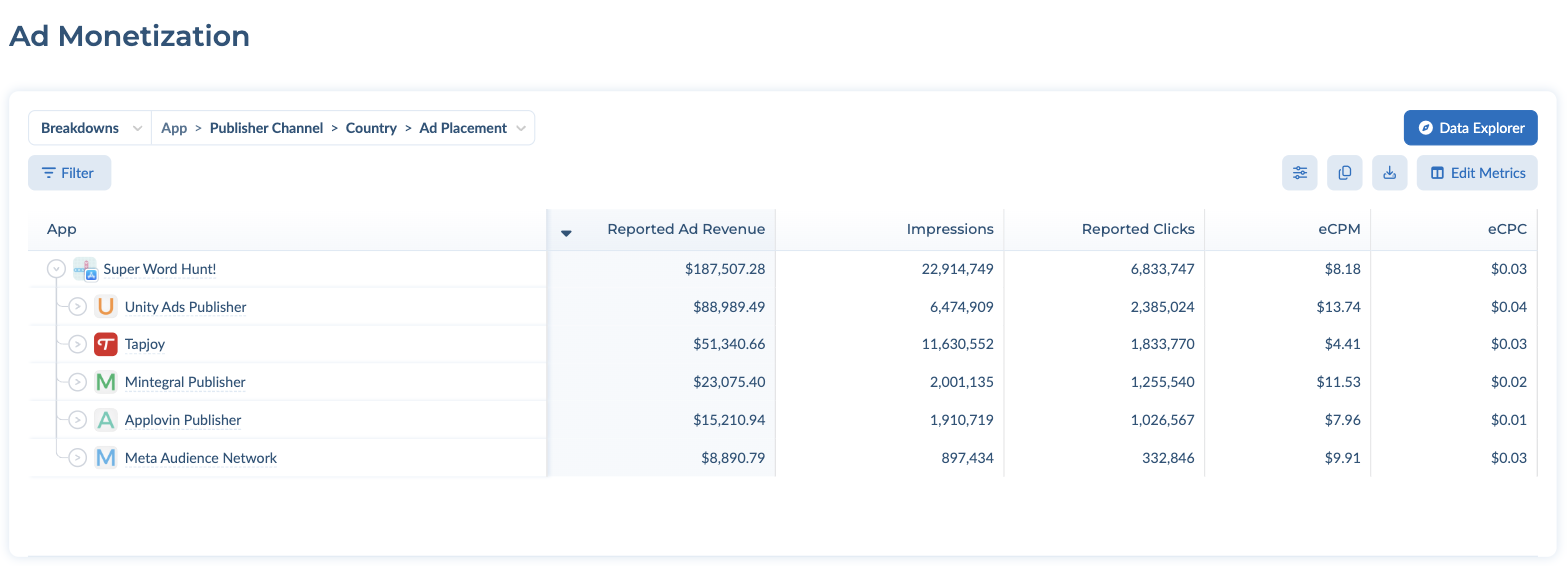
You can change filters and Group By in the left panel, just like in the User Acquisition report.
The report table at the top works the same way as in the User Acquisition report: switch between Breakdowns and Dimensions, add filters with the Filter button, and choose columns with Edit Metrics (see Filters and Grouping). By default the table is broken down by App > Publisher Channel > Country > Ad Placement. Ad Placement is available as a dimension.
The channels filter on the left side in the Ad Monetization tab are for Ad Monetization channels and not the user acquisition channels.