如何在Tenjin面板进行个人设置 #
在主菜单下,点击 My Account ->Manage User。
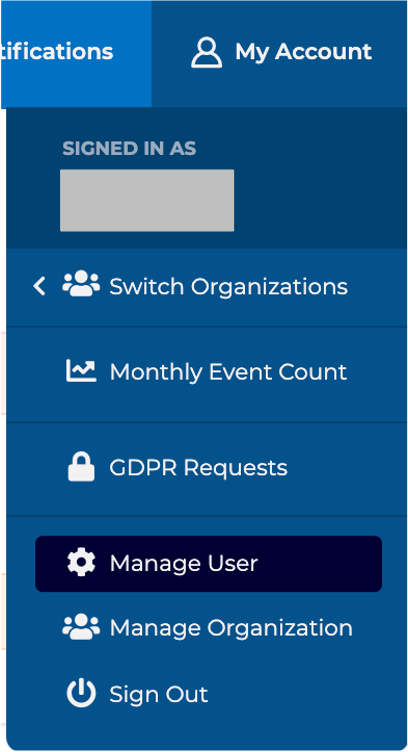
In the Account section, you can change the following:
- 名字 Name
- 邮件地址 Email address
- 密码(需要先输入当前密码)
The Linked Accounts section shows the sign-in providers (such as Google) linked to your user, and lets you unlink them.
提醒与通知 #
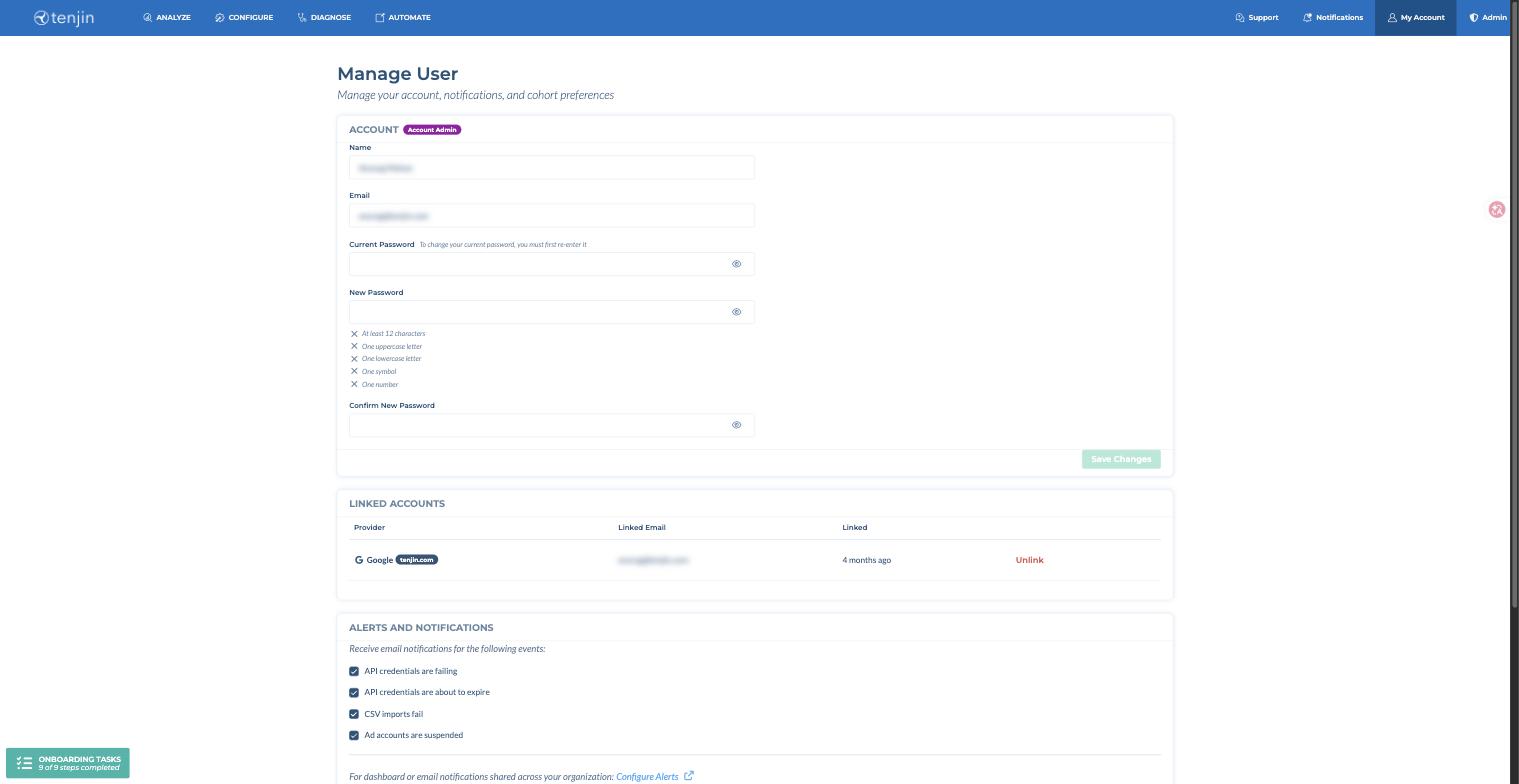
Email notifications for the following events are enabled by default. You can turn each one on or off at any point in the Alerts and Notifications section.
- API credentials are failing: This happens when you change the password on your ad-network dashboard login but it hasn’t been updated in Tenjin.
- API credentials are about to expire: Self attributing networks have an expiration period for API credentials. We will send you alerts if your credentials are about to expire.
- CSV imports fail: Ad networks sent us a CSV for spend or ad revenue data, but the import failed. This usually happens when the CSV file is not in the correct format.
- Ad accounts are suspended: Your ad-network account is suspended in Tenjin. This usually happens when the credentials for that ad account have been failing for over 1 month.
如需设置在整个组织内共享的面板或邮件通知,请使用 设置提醒Configure Alerts.
留存群组设置 #
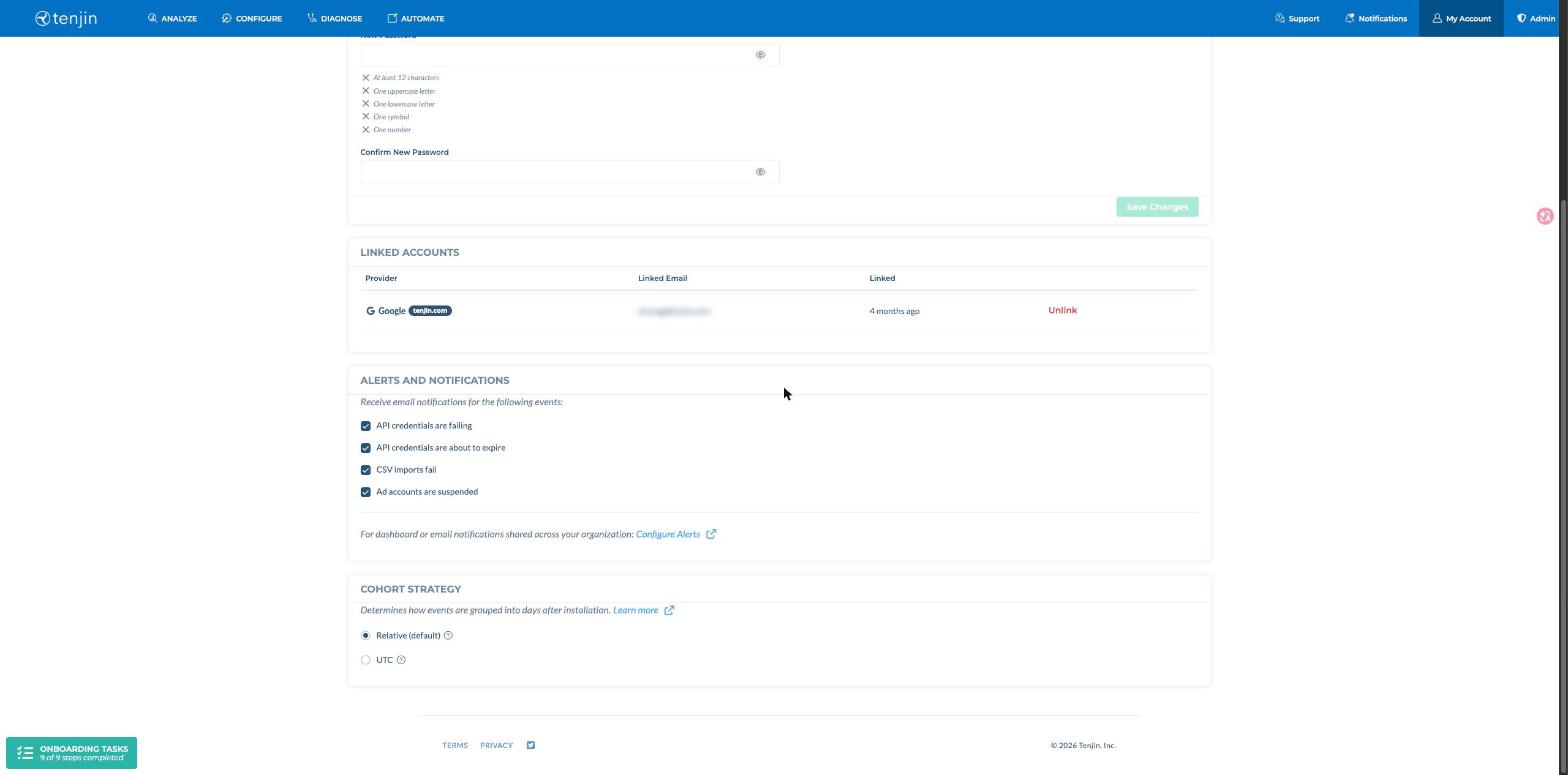
Tenjin支持使用基于UTC的自然日用户群策略计算留存率。采用这种方法时,第1天从每个用户安装时间后的第一个UTC午夜开始。这种方式有助于将留存率计算与使用UTC时间戳的其他平台对齐,从而减少指标上的差异。
如需为您的账户开启此功能,请进入My Account → Manage User → Cohort Strategy(页面底部,见上方截图),选择Relative (default)或UTC。详细说明请参阅此处。