How to Manage Users in the Tenjin Dashboard #
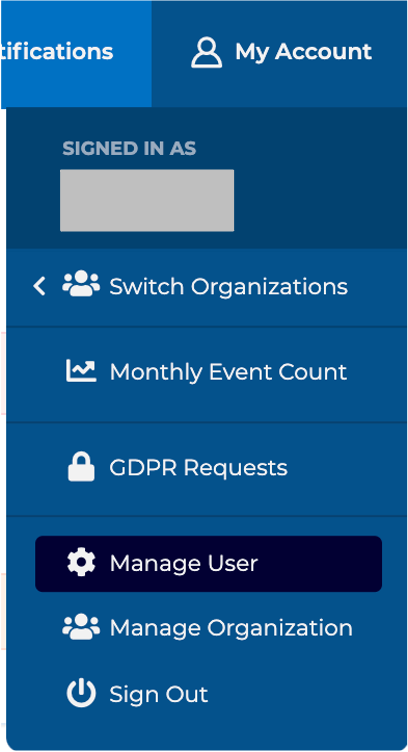
Under the main menu, click My Account -> Manage User.
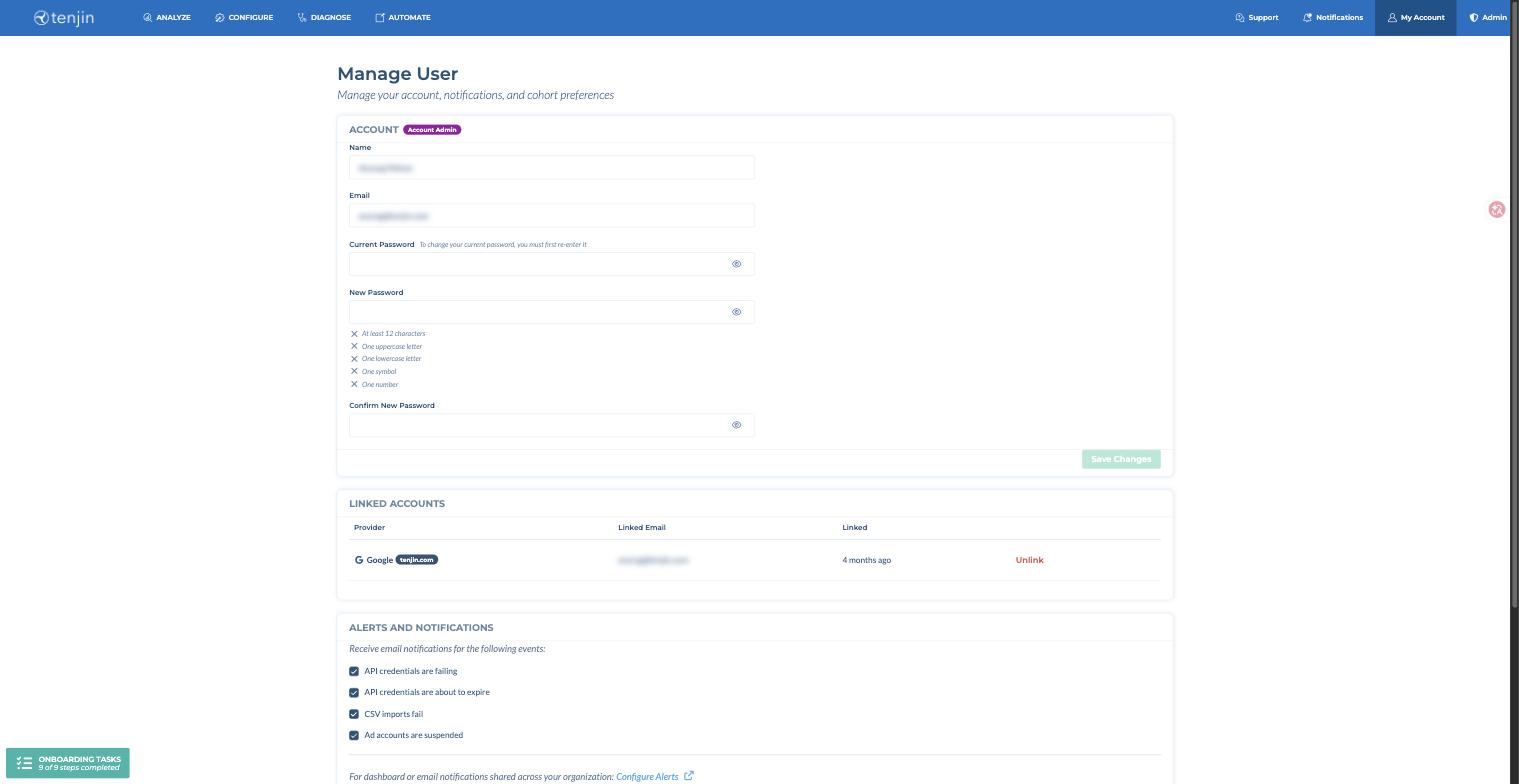
In the Account section, you can change the following:
- Name
- Email address
- Password (you need to enter your current password first)
The Linked Accounts section shows the sign-in providers (such as Google) linked to your user, and lets you unlink them.
Alerts and notifications #
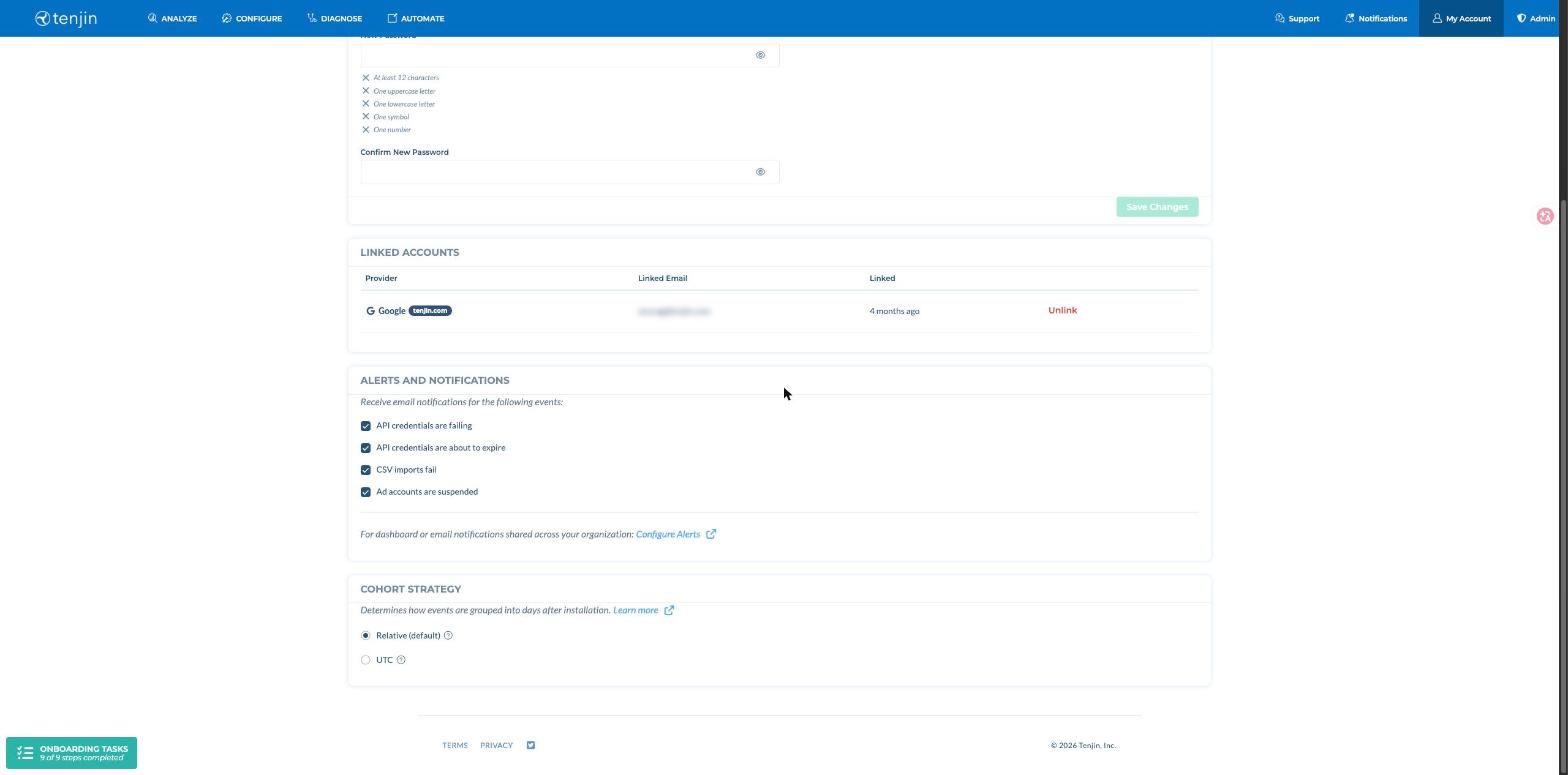
Email notifications for the following events are enabled by default. You can turn each one on or off at any point in the Alerts and Notifications section.
- API credentials are failing: This happens when you change the password on your ad-network dashboard login but it hasn’t been updated in Tenjin.
- API credentials are about to expire: Self attributing networks have an expiration period for API credentials. We will send you alerts if your credentials are about to expire.
- CSV imports fail: Ad networks sent us a CSV for spend or ad revenue data, but the import failed. This usually happens when the CSV file is not in the correct format.
- Ad accounts are suspended: Your ad-network account is suspended in Tenjin. This usually happens when the credentials for that ad account have been failing for over 1 month.
For dashboard or email notifications shared across your organization, use Configure Alerts.
Retention Cohort Strategy #
Tenjin supports Retention Rate calculation using the UTC-based cohort strategy. With this approach, Day 1 begins at the first UTC midnight following each user’s Install timestamp. This method helps align Retention Rate calculations with other platforms that use UTC-based timestamps, reducing discrepancies in metrics.
To enable this feature for your account, navigate to My Account → Manage User → Cohort Strategy (at the bottom of the page, shown in the screenshot above) and select Relative (default) or UTC. You can read more details on it here.