Tenjinのキャンペーンマージツールとは何ですか? #
Tenjinのキャンペーンマージツールを用いて、サードパーティのアトリビューションツールからのデータとアドネットワークからのデータを統合し、管理画面またはデータボルトでキャンペーンごとのROIを計算することが可能です。
概要 #
マージツールがどのような問題を解決するのかを説明するために、Tenjinはアドネットワークからキャンペーンデータを受信するように設定できます。Tenjinが受信するキャンペーンデータには、同じキャンペーンを表しているにもかかわらず、各キャンペーンが固有のものであるかのように見える特性が含まれています。
特定のチャネルからの ROI をレポートするには、これらの「異なる」キャンペーンをマージすることが重要です。
以下は、アドネットワークがレポートでどのように異なる見方をするかの例です。これら3つのキャンペーンは実際には「同一」ですが、アドネットワークとTenjinはこれらを別々のキャンペーンとして認識します。
| Campaign | reported_installs | tracked_installs | spend | LTV | ROI |
|---|---|---|---|---|---|
| 米国 – WS | 20 | $30 | -100% | ||
| 米国 – ワードサーチ | 10 | $100 | -100% | ||
| ワードサーチ – 米国 | 32 | $30 |
Tenjinキャンペーンマージツールを使用すると、Tenjinクライアントは、以下の結果に示すように、サイロ化されたアドネットワークとTenjinアトリビューションキャンペーンデータセットの両方を「マージ」できます。
キャンペーンマージ後
| Campaign | reported_installs | tracked_installs | spend | LTV | ROI |
|---|---|---|---|---|---|
| 米国 – ワードサーチ | 30 | 32 | $130 | $30 | -70% |
このデータは現在「クリーン化」されており、すべてが単一のキャンペーンIDに関連付けられ、Tenjinの各種APIおよびDataVaultを通じてアクセス可能です。
手順 #
- アドネットワークのAPIよりキャンペーンのリストを取得し、そのキャンペーンを動的に作成します。
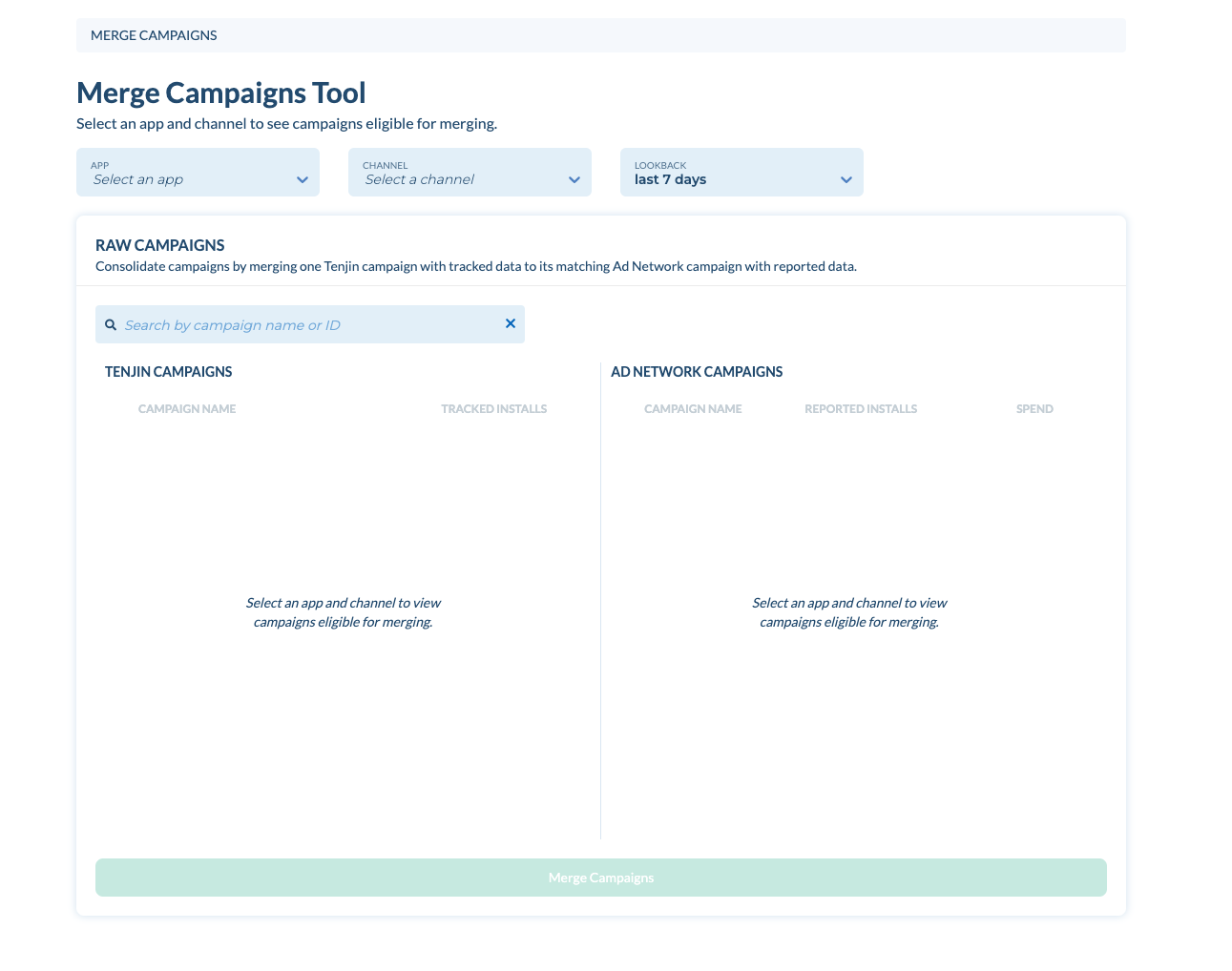
- DIAGNOSE -> Campaign Mergeに進みます。選択したアプリ、ネットワーク、日付範囲ごとに、マージ可能なキャンペーンの一覧が表示されます。

上部では、アプリとチャネルごとにキャンペーンを検索し、過去の期間を選択できます。選択した期間内のtrackedとReported Installsが表示されます。これは、アトリビューションキャンペーンとアドネットワークキャンペーンの類似性を評価するのに役立ちます。
画面上でマージ可能なキャンペーンの一覧が表示されています。アドネットワークのAPIから取得したキャンペーンの場合はcampaign_name,reported_installsおよびspendが表示されています。次に、マージする各キャンペーンをチェックし、Merge Campaignsをクリックします。