
Tara Meyer
September 7, 2026
Within the last year, search has become more conversational. Queries are longer, expectations are higher, and people desire to move from questions to a useful, practical next step, without switching tools.
AI assistants, skills, plug-ins and MCP servers are helping make this possible. The rapid and high adoption rate of this workflow has evolved at a rapid pace. In particular, MCP servers simplify the entire process. They it make it easier to ask questions about data, analyze the answer, and take action without opening another window, dashboard, tool, or even building a report. The entire workflow stays within the same window, the same conversation, right where the question first started.
A MMP MCP server connects your AI assistant (Claude, Codex, ChatGPT, or Cursor) to your mobile measurement partner data. It provides a secure and quick way for you to ask about campaigns, attribution, revenue, retention, or settings all in plain language, without having to switch contexts. In this comparison, all the MMP MCP servers can read data. As of September 2026, the main differentiation between MCP servers by MMPs is possessing write access, which enables it being able to act.
Within this group, the first MMP to introduce board MCP write access and allow access was Tenjin. Teams can use Tenjin’s MCP to not only investigate a performance issue, but preview and review changes, and then carry it out without ever leaving the chat window.
How We Compared MMPs & MCP Servers
In this comparison, when we mention direct writes, it refers to changes made inside the MMP itself. This means that when you go to your dashboard within the MMP, you can see changes you requested from your chat window. A direct write is very different from a recommended action by the AI assistant. It’s also different from sending a task to another connected platform.
| MMP | What It Reads | Changes | Use |
|---|---|---|---|
| Tenjin | Attribution, spend, monetization, SKAN, pLTV, apps, and configurations | Direct write access: make changes to campaigns, apps, callbacks, tracking-link workflows, and Site ID filters | Ask, analyze, and act in one workflow. Dry runs let you check changes before they go live. |
| AppsFlyer | A broad set of aggregated performance, retention, SKAN, OneLink, audiences, and configuration data | No direct writes documented. MCP is read and query only. | Ask questions and get answers based on your AppsFlyer data. |
| Singular | Aggregated reporting, cost, creatives, AI tags, assists, and MTA data | Limited write access: changes to field list, but not to campaigns or account objects. | Useful for report analysis and quick answers, not ideal for account management. |
| Adjust | Focus on aggregated performance data | No writes documented. | Brings Adjust data into external AI workflow, so it can act somewhere else. |
| Airbridge | Reports, raw exports, apps, tracking links, and deep-link settings | Limited write access: for app, platform and deep-link configuration | Allows for configuration updates, but not campaign, callback, or fraud-filter operations. |
This comparison table is based on public product documentation reviewed on August 25, 2026. Since MCP products evolve quickly, please confirm current tool lists and plan access before making a decision. We will update information in this post and document as needed.
Read Access: Fast Responses to Your Queries
Instead of waiting for someone on your team to put together and export a report, you can ask a specific question directly in an AI chat. This is read access, and it’s something all MMP MCP servers do.
You can query in plain language:
- “Which Meta campaign had the highest CPI last week?”
- “Show me the retention rate for Campaign A compared to Campaign B.”
- “What tracking links are live for my app?”
- “Tell me the top 5 campaigns by revenue.”
It works like this: the AI assistant interprets the response, then the MCP gets the data, and shows it in whatever tools. The AI assistant is the one that then summarizes, compares, or helps visualize the results.
This is a major step for many teams. For one, it helps many marketers get fast answers about their KPIs, descriptive stats, and information that makes their feedback process faster. They don’t have to sit behind SQL or build a custom report.
AppsFlyer’s beta MCP has a very strong read access, but has no direct write access. Singular and Adjust also support reporting-led workflows, especially around aggregated data.
Tenjin supports read access to performance and configuration data. Furthermore, users can ask about attribution, spend, revenue, ROAS, LTV campaigns, and site IDs then filter or compare results without rebuilding the same dashboard view.
The bottom line: if your only goal is to get faster answers, a read-only MCP may be enough.
Direct Write Access: The One Window Workflow
A read-only MCP has its limitations. You still have to switch environments, go to your MMP dashboard, find the right setting, and make the update yourself. Write access changes everything. You stay in the conversation window and can make changes from there.
For example, a UA manager could ask an AI assistant (connected to an MMP MCP server with direct write access) to:
- Find a campaign and list its tracking links.
- Check the campaign’s recent performance.
- Prepare an update or create a new campaign.
- Review the dry run.
- Apply the approved change in the MMP
Teams are able to do more work in the same space and it saves a lot of time. It keeps everything together, while reducing the back and forth between different windows and tools. It’s also very useful for smaller and lean growth teams.
Tenjin’s MCP Server
As a mobile-first MMP, Tenjin’s MCP does more than just answer questions. It was built and designed for lean mobile teams to go from analysis to decision to execution as fast as possible. It first launched MCP read access in March 2026 and write capabilities were added in July 2026.
Now, it supports direct writes for the operations mobile growth teams use most often:
- Campaign management: create, update, delete, and search campaigns.
- App management: add and configure apps, then run SDK integration health checks.
- Callback management: build and update S2S callbacks, settings, and callback groups.
- Tracking-link workflows: search campaigns and find the relevant links without manually digging through the dashboard.
- Fraud prevention: review, block, restore, or clear Site ID filters.
- Bulk work: run actions across multiple items and receive a result for each one.
It’s a one window workflow. Ask a question, analyze the answer, prepare changes, review the changes before you commit, and confirm it without starting over in a different interface. Reviewing is key and Tenjin supports dry runs for create, update, and delete operations. Teams always have a chance to review before changes apply.
Tenjin’s MCP is available via plug-in on Claude and Codex and an SDK Integration Skill for more guided implementation work. These add-ons make the experience feel more developed and it gives marketers, growth teams, and developers a clear, direct path from “What happened?” to “Let’s do this.”
How Other MMP MCP Servers Compare
Tenjin vs AppsFlyer
AppsFlyer’s MCP is in beta and it supports Claude, ChatGPT, Gemini CLI, Copilot CLI, Cursor, and VS Code. It retrieves data on campaign performance, ROAS, retention, SKAN, OneLink audits, audience connections, and app configuration.
It’s a strong choice for teams that need wide read access in a particular AI environment. However, its documentation is clear: AppsFlyer MCP is read and query only. It does not perform actions inside AppsFlyer. It will help you understand the problem, but the rest of the workflow happens elsewhere.
Tenjin vs Singular
Singular’s MCP covers aggregated tracker data, network cost data, creative data, AI tags, assists, and multi-touch attribution data. It also allows for users to update fields available to its MCP. However, this really only changes the scope of data that the MCP can use to respond. It’s not still not a campaign, attribution setting, or other account object. But, these details make it very useful as a reporting tool and interface.
Tenjin vs Adjust
Adjust’s MCP is currently in “early access” mode and is limited to aggregated data. Analysis of user-level or event-level data is not available. It can retrieve data and analyze, like most read access tools. It is also possible to take action through another connected system. Although users are able to take action, it still doesn’t qualify as direct write access, since it’s not possible to make direct changes within Adjust. Furthermore, it is not yet designed to manage Adjust accounts. Still, it’s useful for teams already using Adjust who want to connect their data into a broader AI workflow.
Tenjin vs Airbridge
Airbridge is the only other MMP other than Tenjin who has direct write access. Although their version still in beta mode, it has the capabilities to retrieve reports, raw exports, tracking links, and deep-link settings. Although it boasts write access, it has a limited scope of write functions compared to Tenjin. For example, Airbridge does not support campaign, callback, or fraud-filter writes as compatibilities. It also lacks a dry-run mode for the actions it does support. Still, having write functions remain valuable for teams managing deep-link configuration.
The difference? Tenjin’s write access extends much further into everyday mobile growth operations.
Why MCPs Matter
The main purpose of using a MCP is to make reactions faster: from spotting an issue to doing something about it. This could mean:
- Less time spent rebuilding the same views and filters.
- Fewer handoffs for routine work.
- Clear paper trail from question to the approved change.
- Less context switching between reporting, planning, and execution.
- More confidence when changing live settings, because dry runs and confirmations create a checkpoint before the action happens.
This is why the distinction between read and write access matters, way more than a long list of AI client integrations. If your team only needs to ask questions and get answers, read access is all you need. But, if you’d like to ask, analyze, and act on whatever the AI assistant recommends too, then go for a wide scope of direct write access.
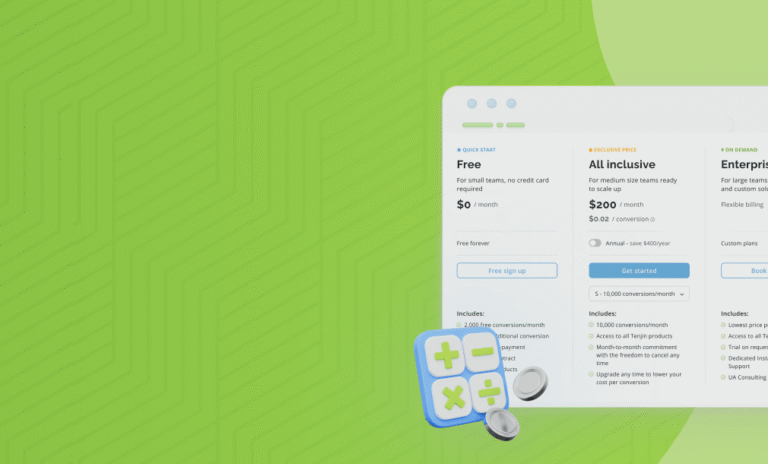
For the latter, Tenjin has the strongest option in this comparison and its MCP included on every plan, even including the All-Inclusive Free. You can learn more about Tenjin’s MCP development with our geting started documentation.
How to Evaluate an MMP MCP server
Before you decide, ask a few practical questions:
- Which reports, fields, and settings can the MCP access?
- Is it read-only, write-enabled, or both?
- Which account objects can it change inside the MMP?
- Are writes protected by previews, dry runs, confirmations, or approval steps?
- Do existing dashboard permissions carry over into MCP?
- Can admins control or disable specific tools?
- What data is shared with the external AI provider?
- Is MCP included in your plan, or does it require a separate entitlement?
Answering these questions help you focus on whether the MCP server from your MMP can support the workflow your team needs.
Frequently Asked Questions
An MMP MCP server is a connection between an AI assistant and a mobile measurement partner. It lets you retrieve supported attribution, spend, revenue, and configuration data with natural-language prompts. Some MMP MCP servers can also make changes inside the MMP.
The MCP server retrieves data and exposes tools. The connected AI assistant analyzes, summarizes, compares, or visualizes the response.
Tenjin documents broad direct writes across campaigns, apps, callbacks, tracking-link workflows, and Site ID filters. Airbridge documents narrower writes for app platforms and deep-link settings. AppsFlyer is read and query only, while Adjust does not document writes inside Adjust and Singular only changes the fields its MCP can return.
A dry run lets you review the result of a requested create, update, or delete operation before it changes a live setting. This is especially useful when an AI assistant is helping with account operations.