広告収益レポート概要 #
Tenjinは、 アドネットワークのレポートAPIから取得した広告収益データを、Ad Monetizationタブ に表示します。このレポートには、Analyze >> Ad Monetizationにカーソルを合わせることでアクセスできます。こちらの手順に従って、使用しているすべての収益チャネルを追加してください。
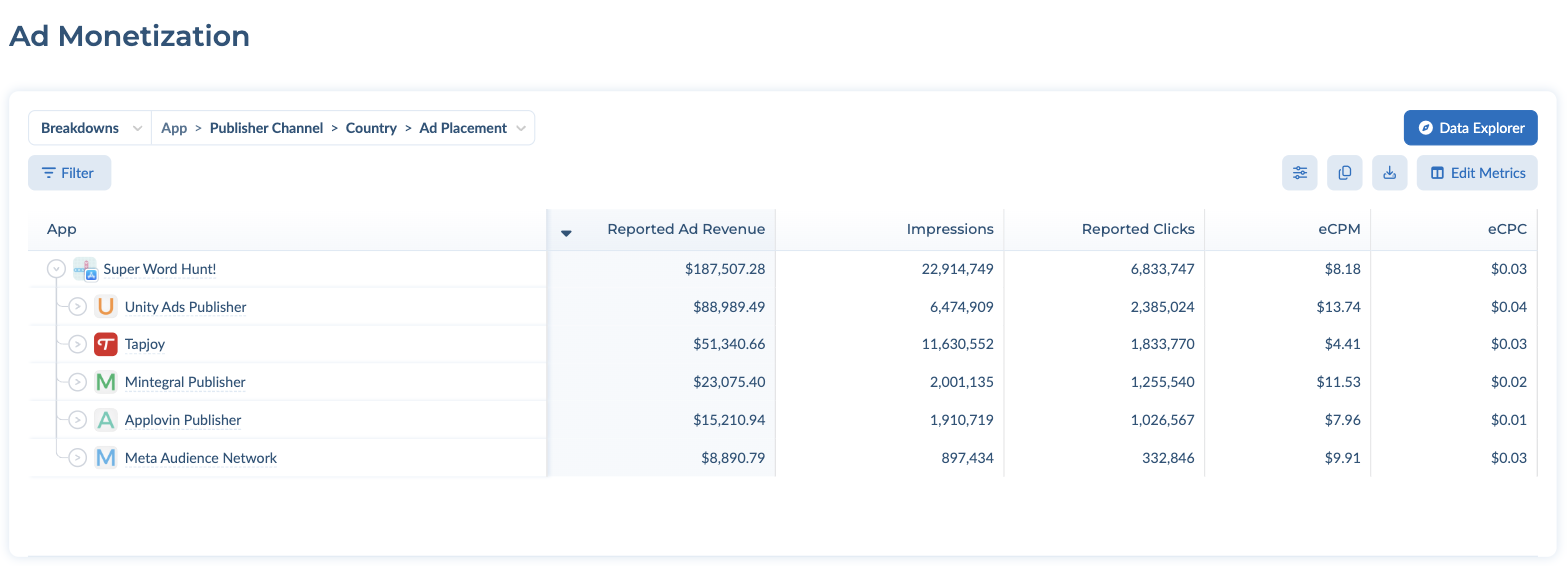
You can change filters and Group By in the left panel, just like in the User Acquisition report.
The report table at the top works the same way as in the User Acquisition report: switch between Breakdowns と Dimensions, add filters with the Filter button, and choose columns with Edit Metrics (see フィルターとグルーピング). By default the table is broken down by App > Publisher Channel > Country > Ad Placement. Ad Placement is available as a dimension.
左側にあるチャネルフィルターは、広告収益チャネル用であり、ユーザー獲得チャネルではありません。