本指南将带您为iOS和Android应用设置订阅收入衡量。初次了解该功能?请先阅读概览。
准备工作 #
整个设置分四步走,只有一步需要开发:
| 步骤 | 谁来操作 | 时间 |
|---|---|---|
| 在Tenjin里填好store credentials | 你(不用写代码) | 5–15分钟 |
| 把订阅方法加到Tenjin SDK里 | 你的开发 | 视情况而定 |
| 检查一下订阅报告 | 你 | 1分钟 |
| 开启订阅回传 | 你(不用写代码) | 每个渠道1分钟 |
如果你在用RevenueCat ,那第二步的SDK工作就可以跳过了。直接用第二步里的RevenueCat方案就行。
第一步:在Tenjin里填好store credentials #
填好商店凭证之后,Tenjin就能直接从App Store和Google Play读取订阅数据——比如价格、试用状态、续费和取消情况。
- 前往Tenjin面板的Configure → Apps
- 在控制面板上,选择您的应用
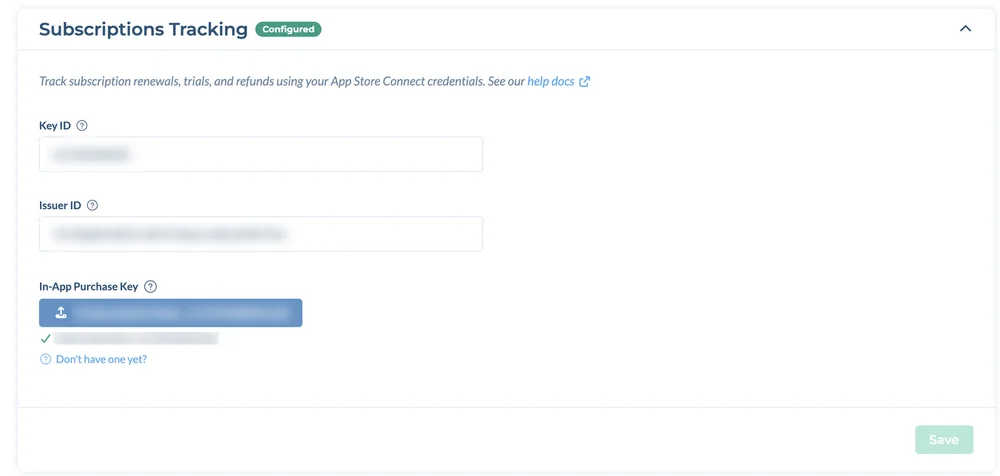
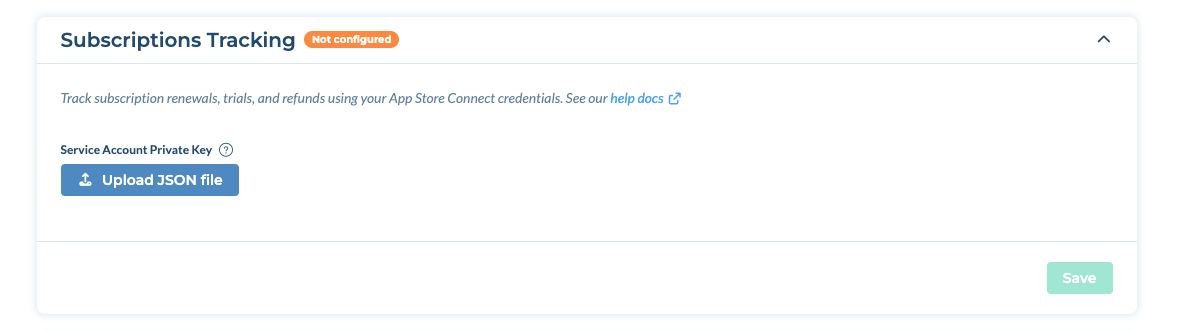
- 找到 In-App Purchases and Subscriptions(订阅追踪) 区域并填写:
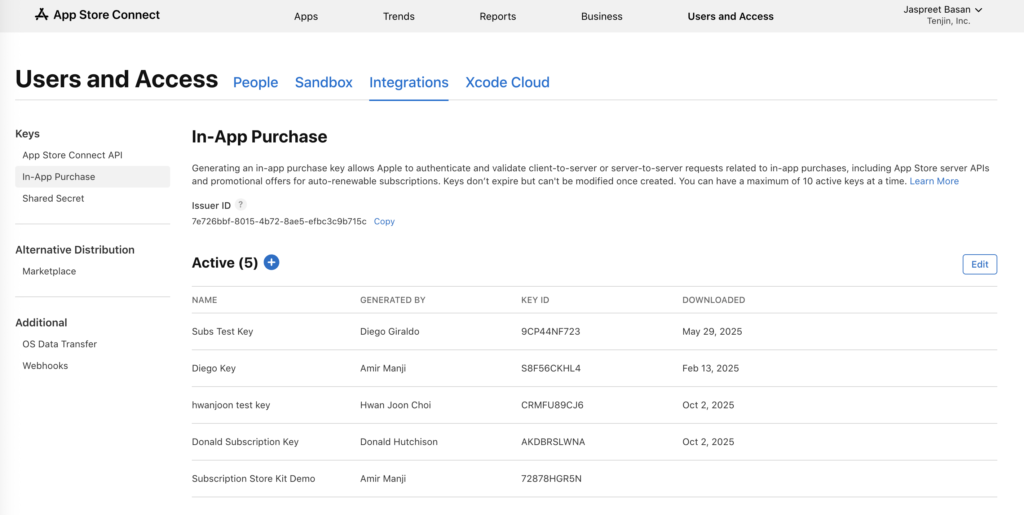
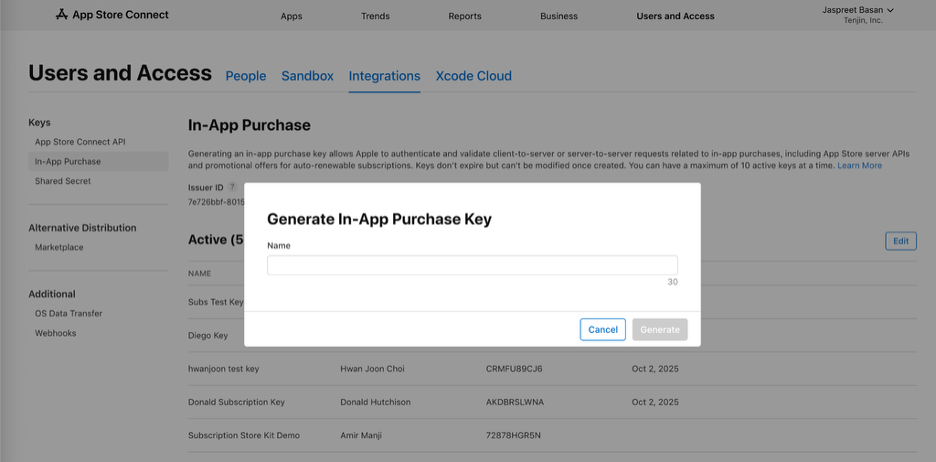
- iOS应用: 填Key ID、Issuer ID,还有你的应用内购买密钥(.p8文件)
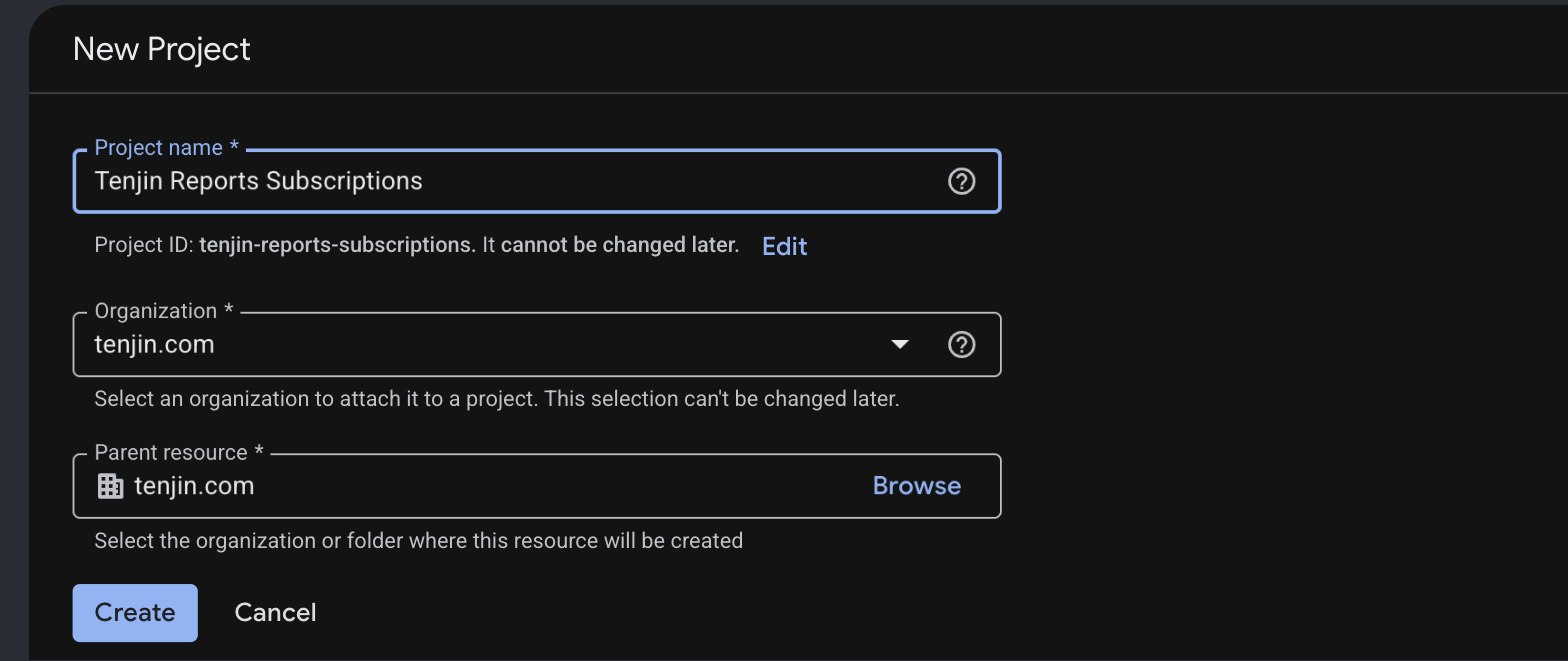
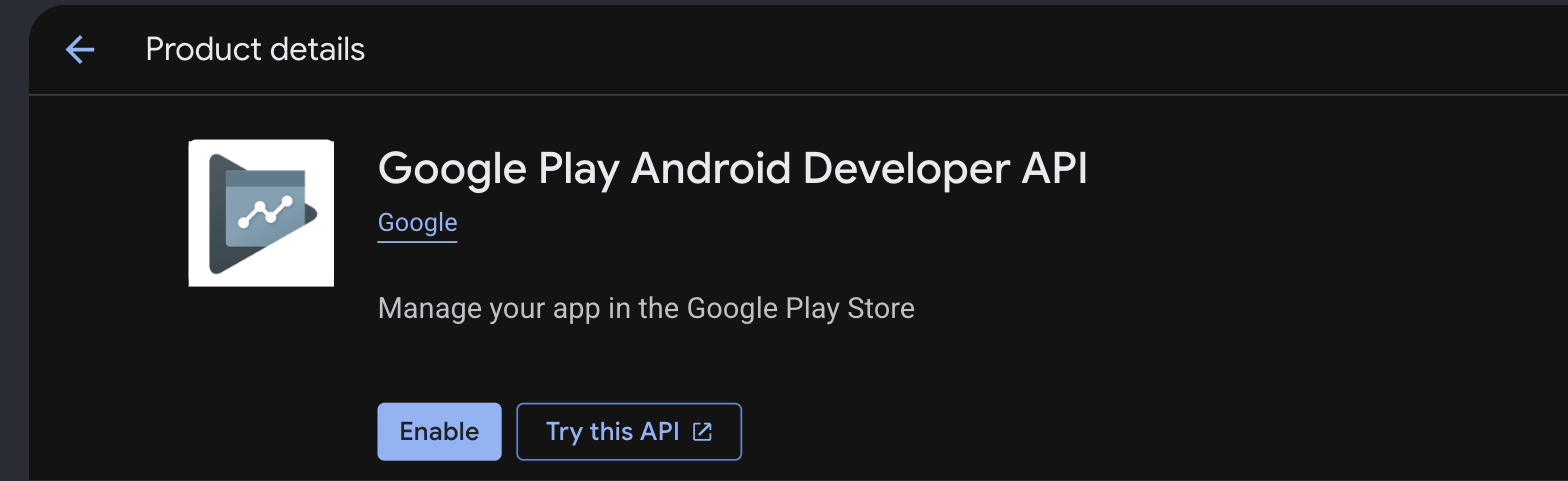
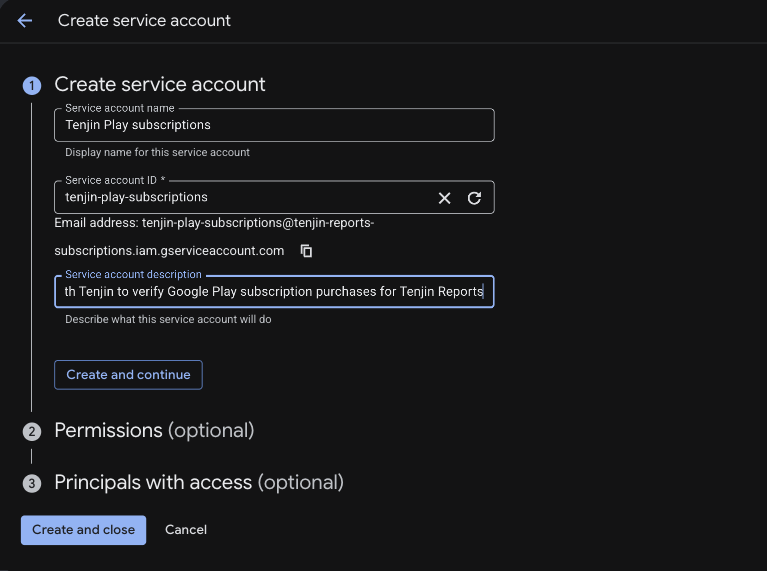
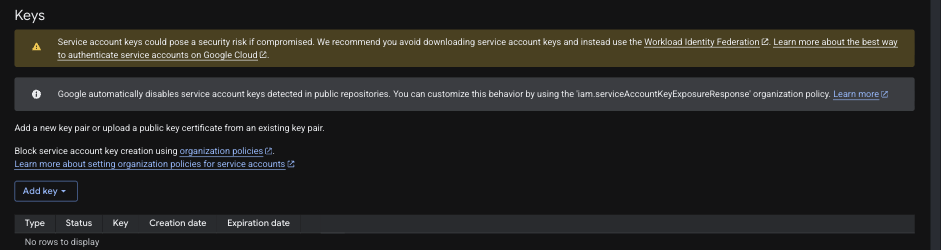
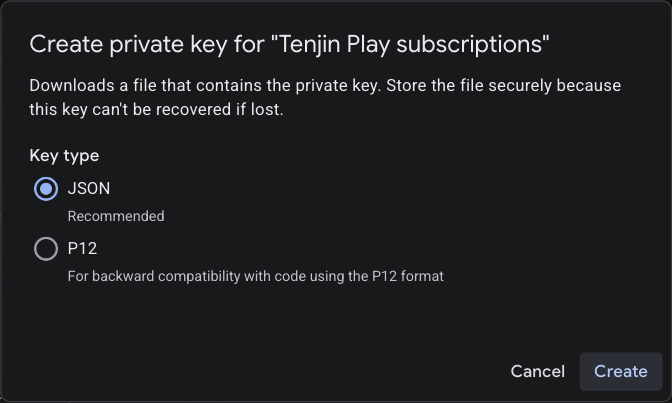
- Android应用: 上传Google Play服务账号私钥(.json文件)。Android订阅衡量目前处于Beta阶段,如需为应用开启,请发送邮件至 support@tenjin.com.
- 点击该区域的Save。对于iOS应用,Tenjin会在保存时校验凭证:如有问题会显示错误;校验通过后,该区域会显示Configured。

iOS应用:Key ID、Issuer ID和In-App Purchase Key
Android应用:Service Account Private Key(JSON文件)
还没拿到这些凭证?点开下面对应商店的教程看看。
如何生成App Store Connect凭证(iOS) #
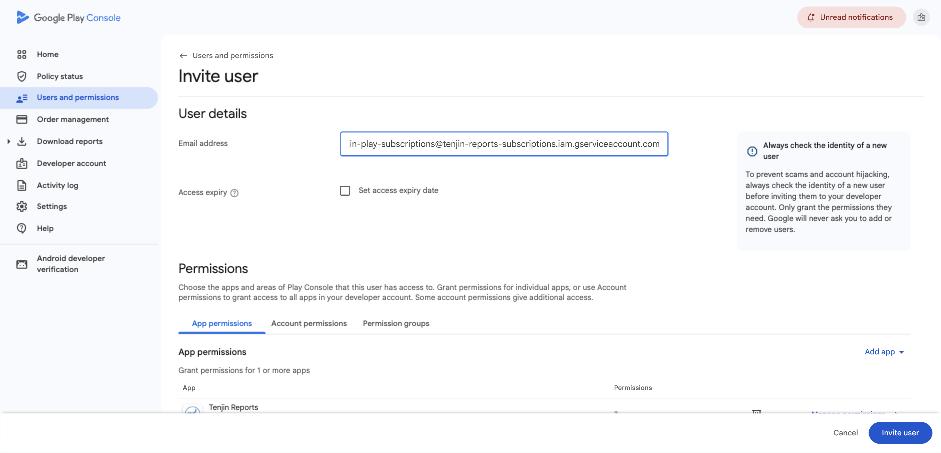
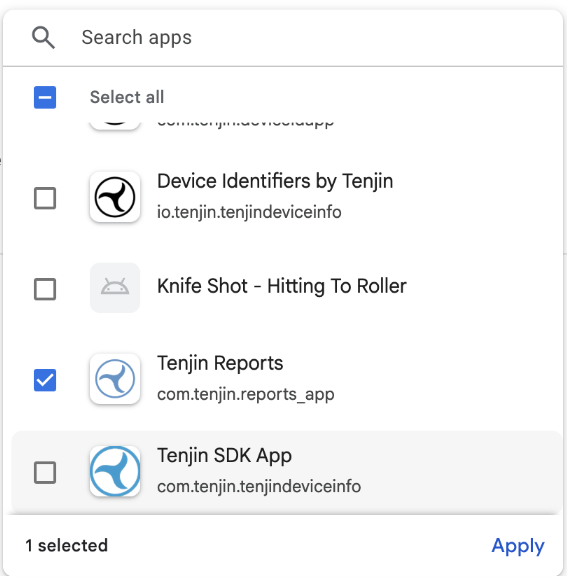
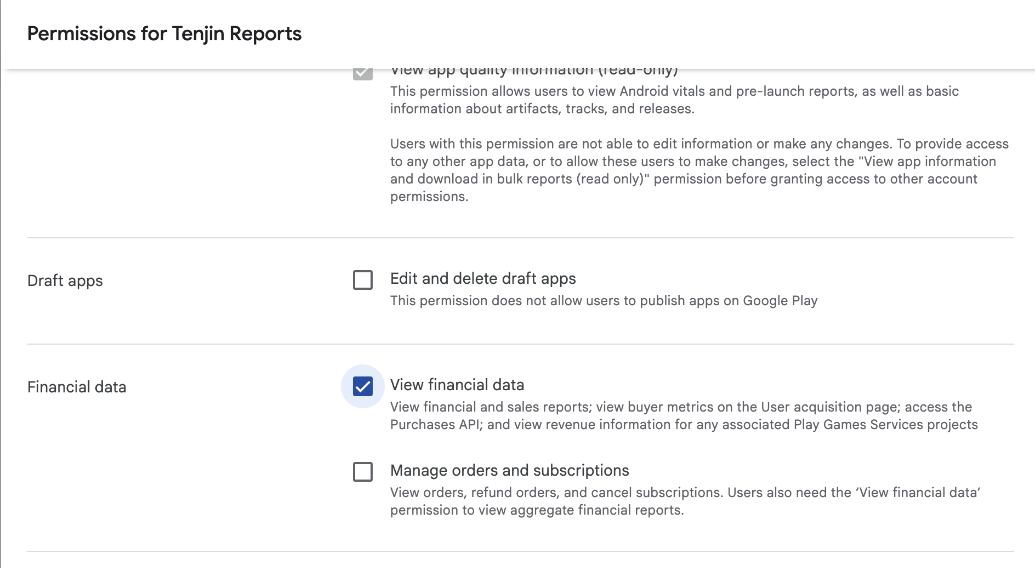
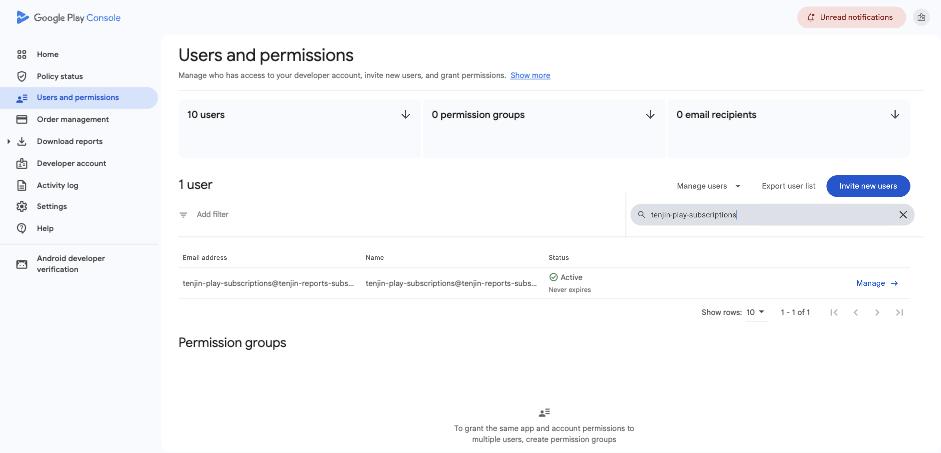
如何生成Google Play凭证(Android) #
第二步:把订阅方法加到Tenjin SDK里 #
SDK的作用是把每一次订阅跟对应的安装和广告投放关联起来。把你所用平台的教程发给开发:
用AI集成 #
在用Claude Code、Cursor或Copilot这类AI编程助手?直接把下面这段提示词丢给它,它会帮你找到对应平台的教程并接入订阅追踪:
Add Tenjin SDK subscriptions tracking to my app using:

https://raw.githubusercontent.com/tenjin/sdk-llm-guides/main/guides/llm-guide.md改用RevenueCat了?直接连RevenueCat就行(不用动SDK) #
如果你已经在用RevenueCat,那就不需要SDK的订阅方法了。保留第一步里填好的商店凭证,然后在RevenueCat里接上Tenjin就行:
- 在RevenueCat后台,打开Project settings → Integrations。
- 选Tenjin,填上你的Tenjin SDK密钥。
之后RevenueCat就会把你的订阅事件发送给Tenjin。对于iOS应用,Tenjin会自动去重RevenueCat和App Store之间的数据,确保每个试用和续费只算一次。Android的去重功能即将上线。更多关于RevenueCat的内容,请看Third Party Purchase Integration。
第三步:检查你的订阅报告 #
数据进来之后,打开订阅报告看看。如果能在这里看到试用、订阅和收入数据,那就说明配置成功了。用Breakdowns功能可以按订阅计划(product_id)和渠道拆分数据。
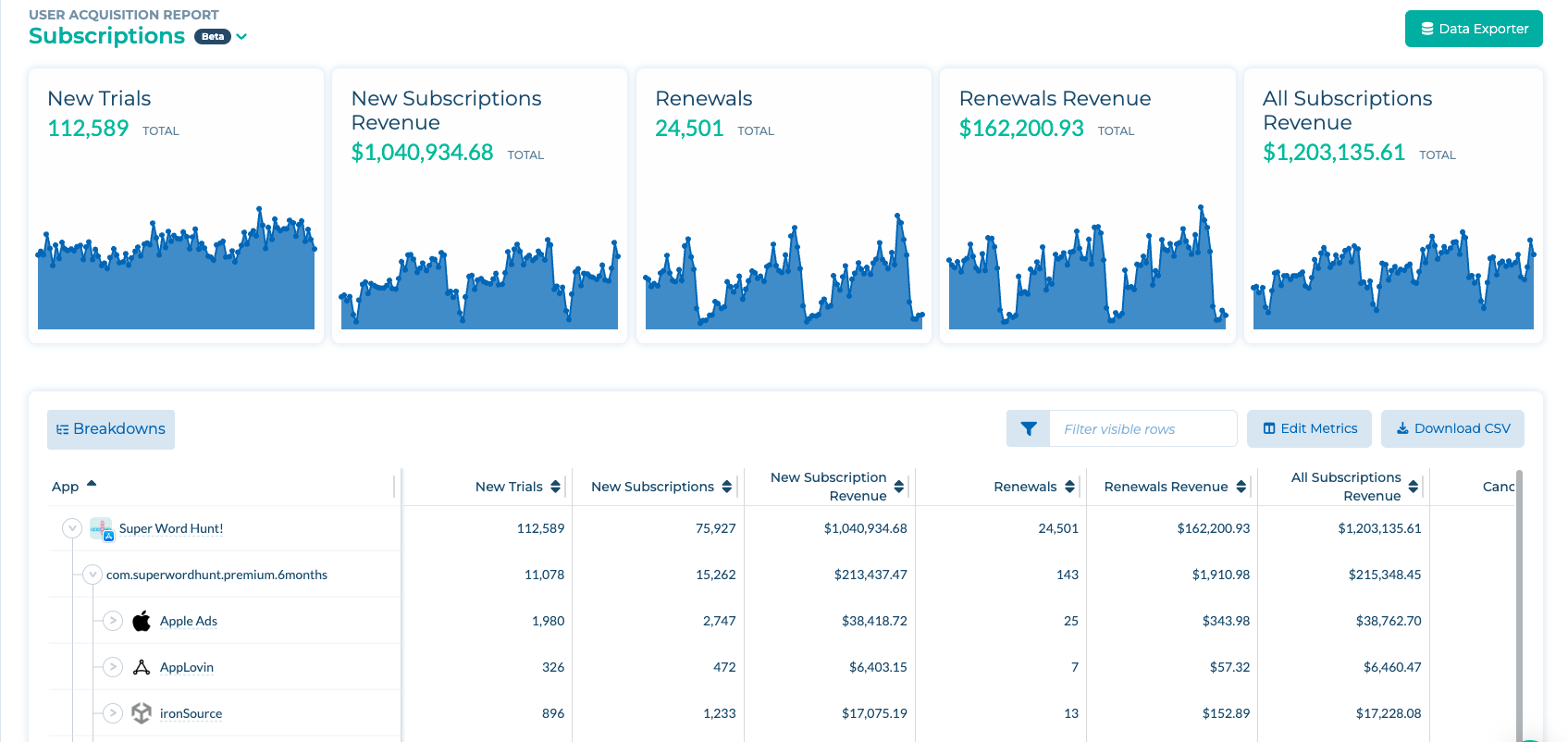
想了解每个指标的含义?请参阅订阅收入衡量。
第四步:开启订阅回传 #
回传会把你的订阅事件发给广告渠道,让他们能优化投放。有两个内置事件,你不需要自己创建任何自定义事件:
- 试用开始:帮渠道找到开始试用的用户。
- 订阅收入:帮渠道找到付费并持续续费的用户。
- 进 Configure → Apps,选好你的应用,打开Callbacks标签页。
- 选一个渠道(比如Meta)。
- 开启试用开始和/或订阅收入回传。
在用第三方购买集成? 如果是iOS加RevenueCat的组合,系统会自动去重,所以你可以同时开启订阅收入和内购回传。但对于Android应用,以及其他第三方购买集成的情况,每个渠道只能开启订阅收入或内购回传中的一个,不能两个都开,避免重复发送事件。
没找到你想要的那个渠道的订阅回传?或者有其他问题?发邮件到support@tenjin.com系我们。