SDK集成测试工具 #
When sending events to Tenjin, it’s useful to use Tenjin’s Live Event Tool to debug if events are firing as expected. Any events sent through a test device (to the Live Event Tool) will not get recorded in the dashboard reporting.
点击这里访问Live Event tool。
如何使用Live Event工具 #
要开始使用该工具从你的应用中实时调试和跟踪事件,需要以下几个步骤:
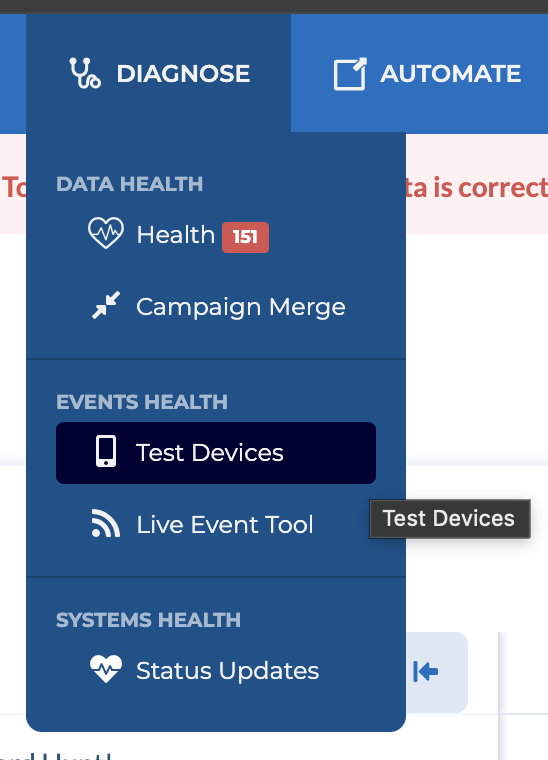
- 点击此处添加你的测试设备,点击Test Devices。
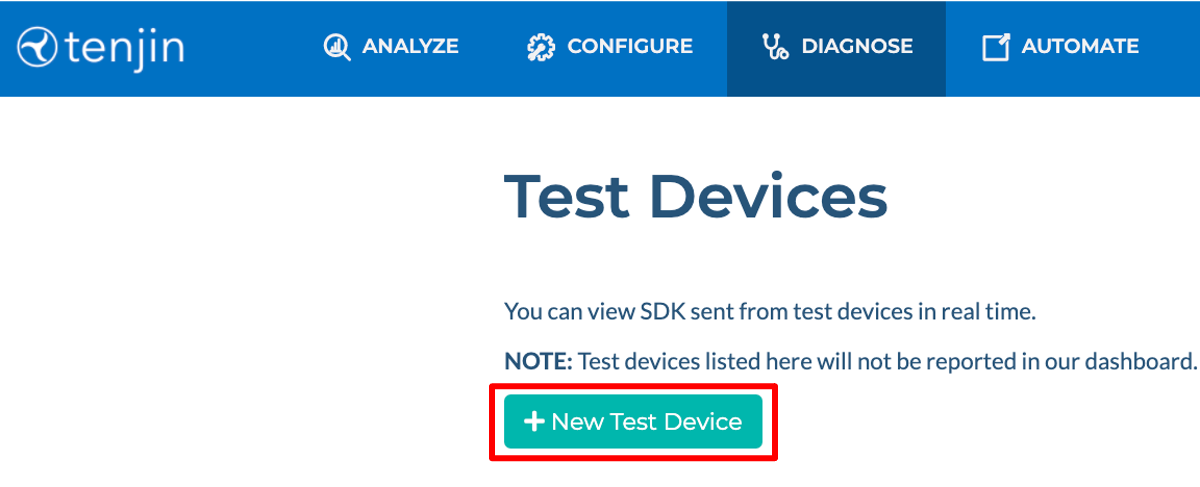
- 点击+ New Test Device 来新增测试设备以验证应用是否正常向 Tenjin 发送事件。
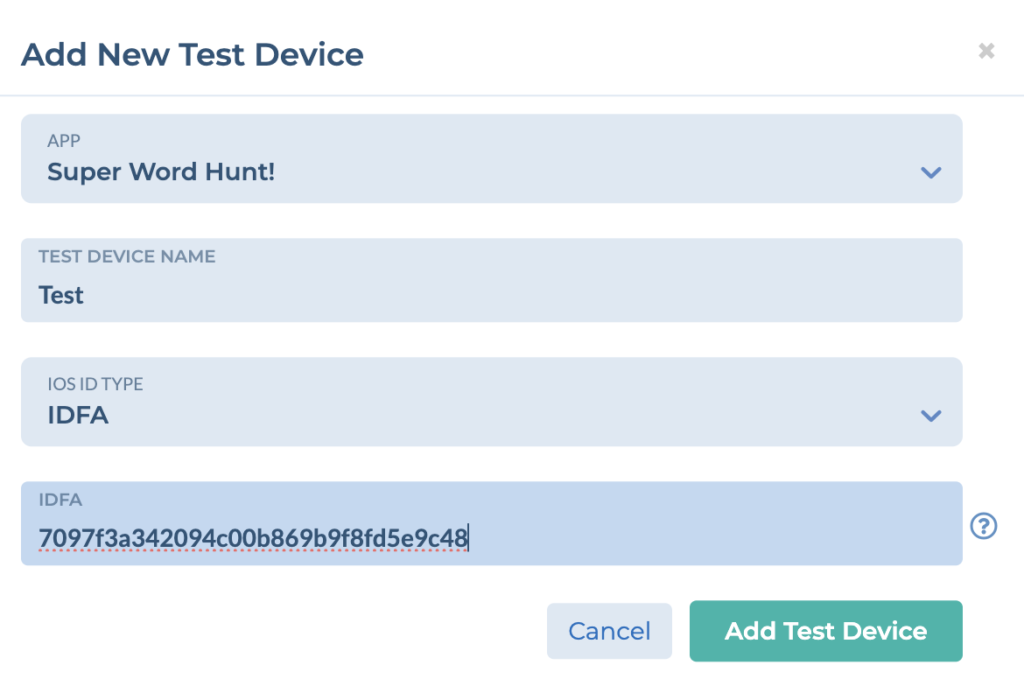
- 选择你的 App 并输入你的测试设备 ID。 具体查询设备 ID 的办法,请依据测试手机的不同生产厂商,自行上网搜索。(iOS 平台为IDFA或IDFV;安卓平台为GAID ,全称 Google advertising ID,中文为广告 ID,只要手机有 Google 的服务框架,就有 GAID;安卓中国及海外华为如无 GAID,请输入 OAID)。
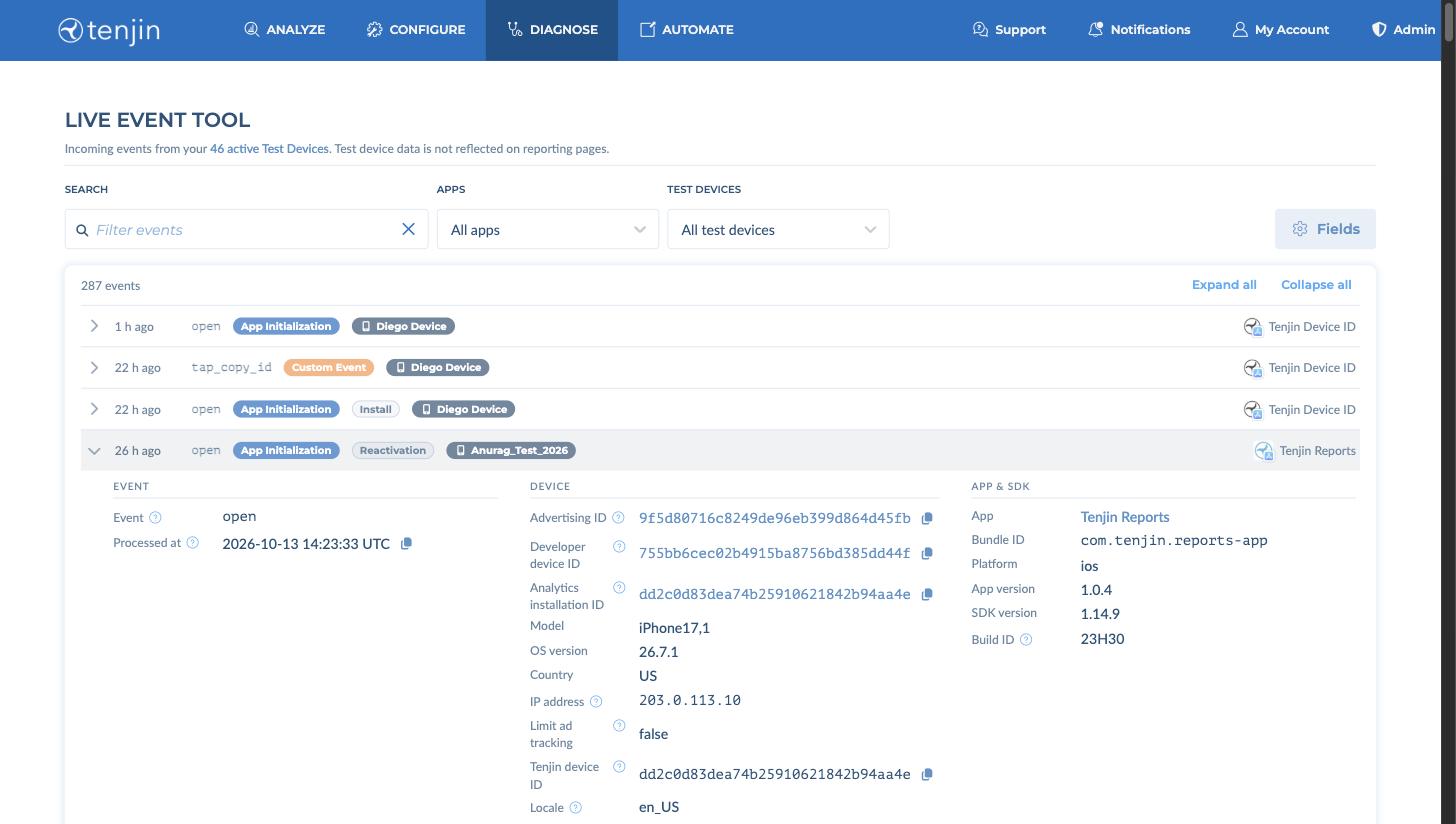
- 跳转至 Live Event tool and open your app with the Tenjin SDK installed on the test device that you submitted your advertising ID for. If your events are firing correctly, you will see them appear in the event list, as shown below. If you register the test device just now, please allow upto 3 hours before you fire the event.
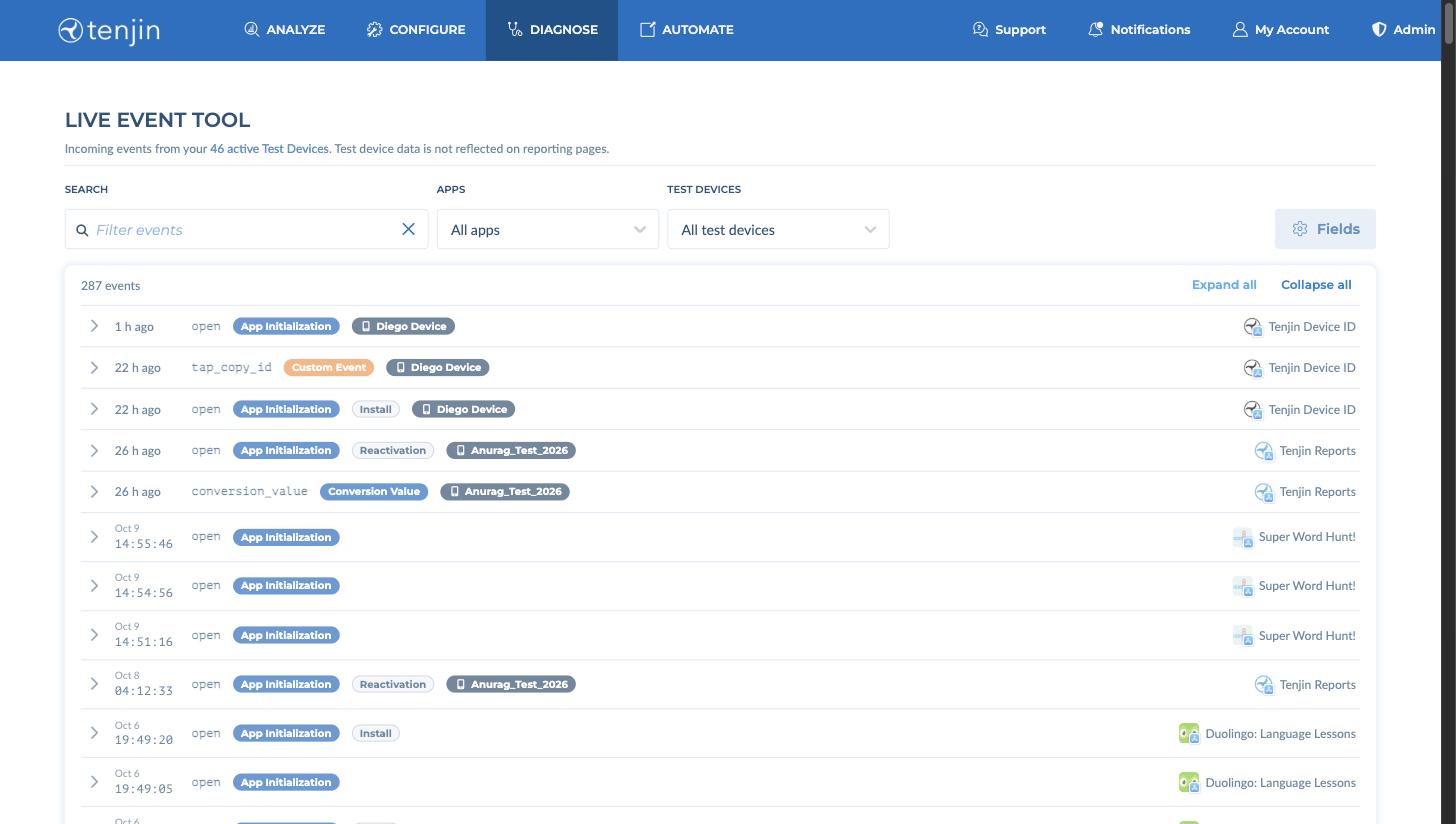
使用 搜索, Apps 和 Test Devices to narrow the list. Click an event to expand it and see its full details, such as the event, device, app and SDK, and Attribution information. Use Fields to choose which details are shown.
在面板上检查 SDK 集成状态 #
Tenjin面板可以实时查看每个应用的Tenjin SDK是否已正确集成。在Apps中选择正在集成的应用并打开其SDK标签页,即可在Tenjin SDK Integration Status表中查看所有相关事件,确认Tenjin SDK在集成过程中已正确设置。
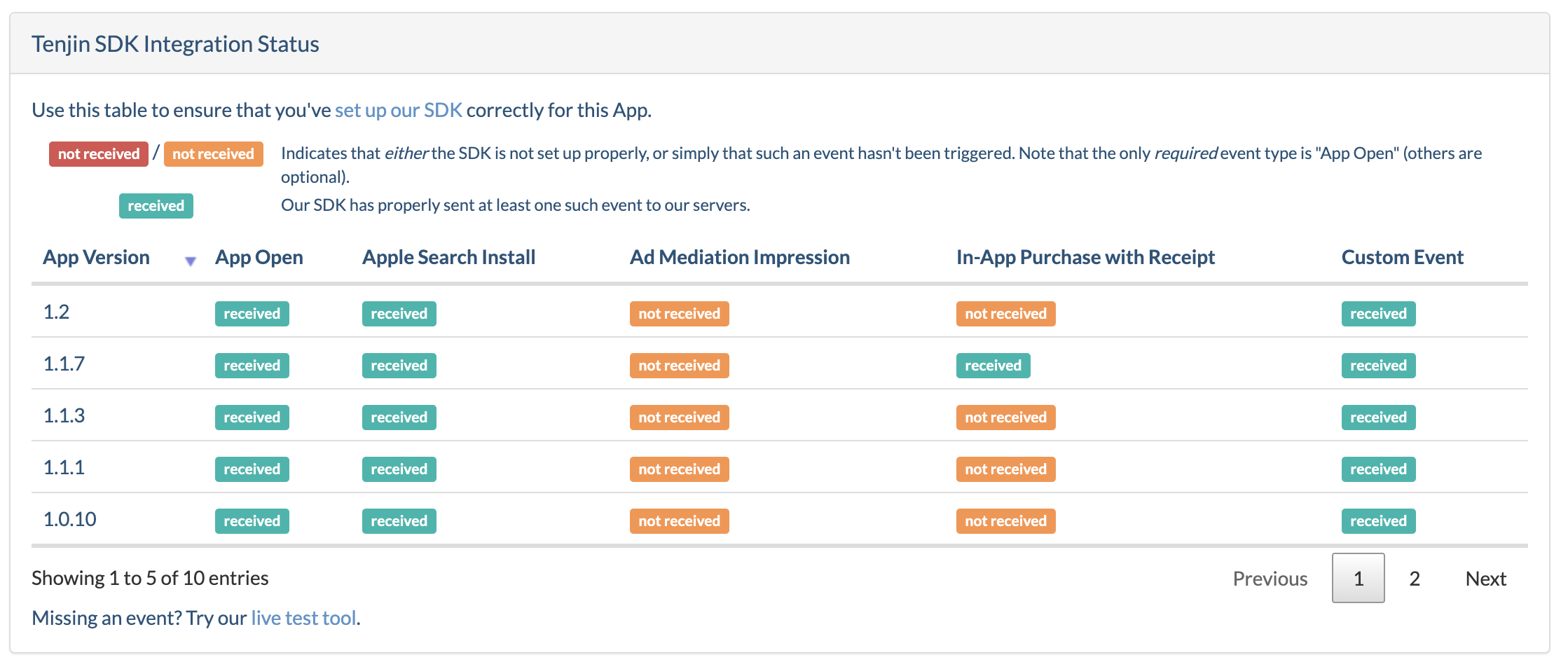
你可以看到App版本、会话数量、Apple Search Ads安装、广告收入展示(ILRD)、已验证收据的IAP,以及任何已正确触发的自定义事件。
SDK集成检查清单 #
在App上架之前,请务必严格遵循清单进行SDK集成,避免不必要的麻烦,降低数据出现问题的可能性。
如果您正在使用Test Flight应用程序,即使注册了 'advertising_id',也无法在 SDK Live event 实时事件测试工具中看到事件。这是因为 Apple 的政策要求每一次用户打开应用时,Test Flight 都要使用新的 advertising_id。
- App open 事件
确保你能看到 App open 事件。App open事件将在 SDK 初始化时自动触发,具体事件数量级别取决于你的 App 所处的生命周期。
- Apple Search Ads安装量(iOS)
Tenjin 可以自动由 SDK 获取 Apple Search 归因数据。不需要添加额外的广告计划设置(如追踪链接,回调等)。集成指引: Tenjin iOS SDK
- Android Install Referrer安装
Android referrer 可以在广告 ID 不存在的时候用来追踪。请参考以下内容:
- 确保已集成 Google’s Install Referrer Library。
dependencies {
	  implementation 'com.google.android.gms:play-services-ads-identifier:{version}'
	  implementation 'com.android.installreferrer:installreferrer:{version}'
}- 内购
Tenjin 共有 6 种 purchase_state。用沙盒(sandbox)账号完成的内购,purchase_state = 4。报表 Dashboard 里只会展示由 Tenjin SDK 上报、且 purchase_state = 3 的内购(通过 S2S 上报、purchase_state = 0 的内购同样会计入报表),因此务必用 SDK Live Tool 来测试——只有在那里才能看到沙盒内购。内购金额按小数形式计算,例如 1.99。
注意:跳过收据校验
如果你希望内购收入跳过收据校验——例如购买行为发生在应用商店之外——请进入该应用的 Edit 设置,勾选 Accept Unvalidated Purchases。
内购上报时,请确保币种、价格、产品id及数量准确无误的传递到Tenjin。例如,你可以测试用不同的币种如Yen/USD/CAD来测试内购,并查看测试工具即时收到的记录。
The different purchase states in Tenjin are:
0 = UNKNOWABLE (there was no receipt and there is no way for tenjin to validate with the app store)
1 = UNVERIFIED (there was a receipt but there was an error with the app store validation)
2 = FRAUDULENT (the purchase was fraudulent)
3 = VERIFIED (the receipt was successfully validated with the app store)
4 = SANDBOX (this was a test purchase)
5 = DUPLICATE (there are duplicate purchases sent for the same transaction_id)
6 = STALE (the purchase event happened 3 days ago and not in real time)- 订阅收入(如有)
- 自定义事件
确保你看到所有自定义事件正确名称和数值。
- Ad Mediation Impressions 展示层级收益数据
Tenjin支持从以下平台接收 Impression Level Ad Revenue (ILRD,展示层级广告变现) 数据:
- AppLovin MAX
- Unity LevelPlay
- AdMob
- TopOn
- CAS
- Tradplus
此功能允许接收与广告收入相对应的事件,用于分析各项广告对变现的影响。