如何分析User Acquisition Report里的Creatives(素材) #
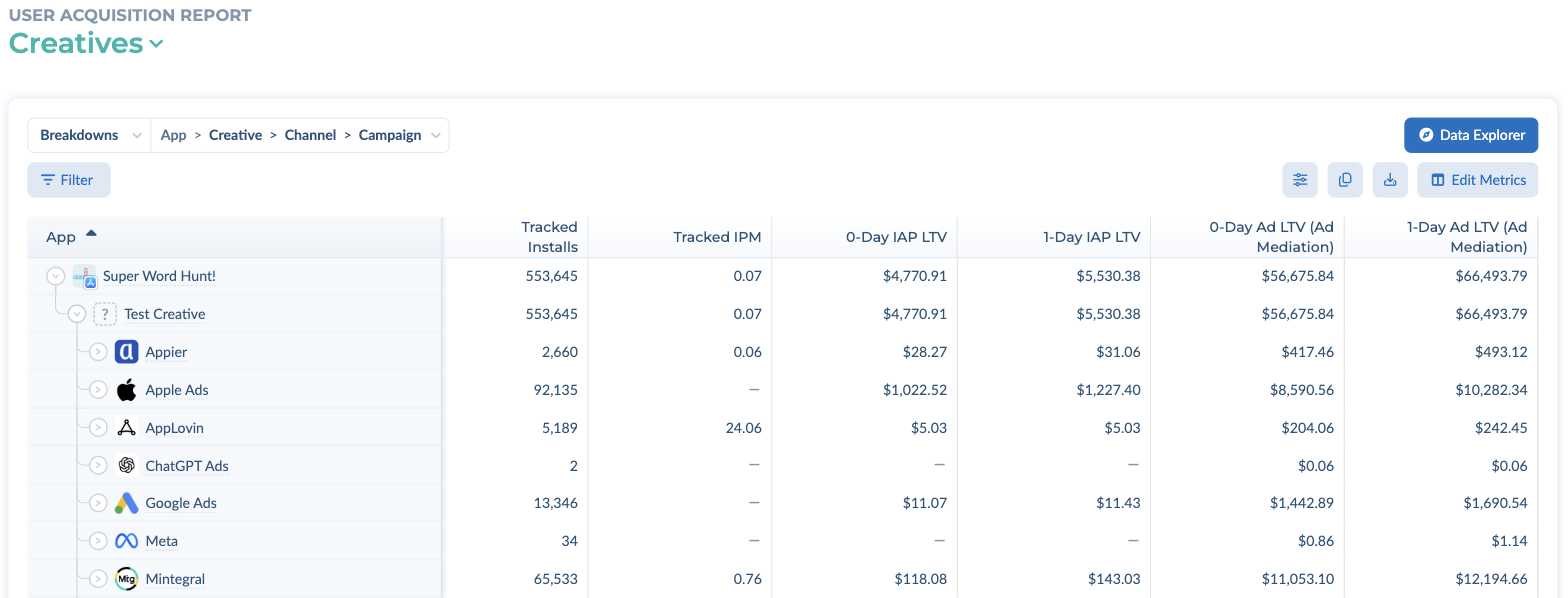
Tenjin在用户获取报告中提供了一个专门用于分析不同广告活动素材数据的视图。在这个报表中,您可以深入查看素材相关的各项指标,并访问与素材表现相关的不同图表。
如何访问用户获取报告中的素材视图? #
点击ANALYZE → User Acquisition,在下拉菜单中选择Creatives。
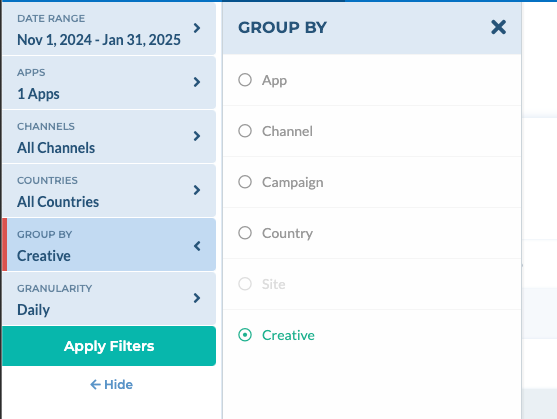
On the Creatives view, the report table is broken down by App > Creative > Channel > Campaign by default, so you can expand an app to see its creatives. To group the charts by creative as well, select Group By → Creative in the left panel.
在User Acquisition Report的Creatives报告中你能看到哪些指标? #
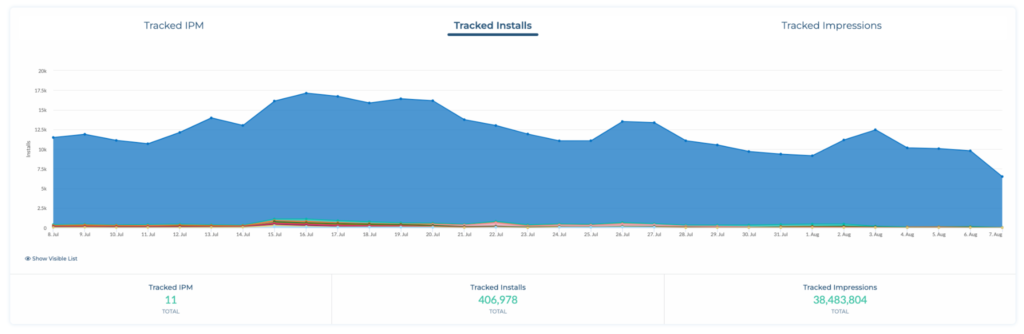
你目前可以看到以下素材相关的指标:
- Tracked Installs
- Tracked IPM (not available for SANs) | 每千次展示激活(不适用于自归因渠道)
- Tracked IPM (not available for SANs) | 每千次展示激活(不适用于自归因渠道)
- N-Day IAP LTV
- N-Day IAP LTV / User
- N-Day Ad LTV (Ad Mediation)
- N-Day Ad LTV / User (Ad Mediation) | 平均用户N日广告LTV(聚合)
- N-Day All LTV (Ad Mediation + IAP + Subscriptions)
- N-Day All LTV / User (Ad Mediation + IAP + Subscriptions)
当前支持的维度有按应用(App)、渠道(Channel)或活动(Campaign)分组。暂不支持按国家(Country)和子渠道(Site ID)分组。