1. Turn on Re-engagement for the app #
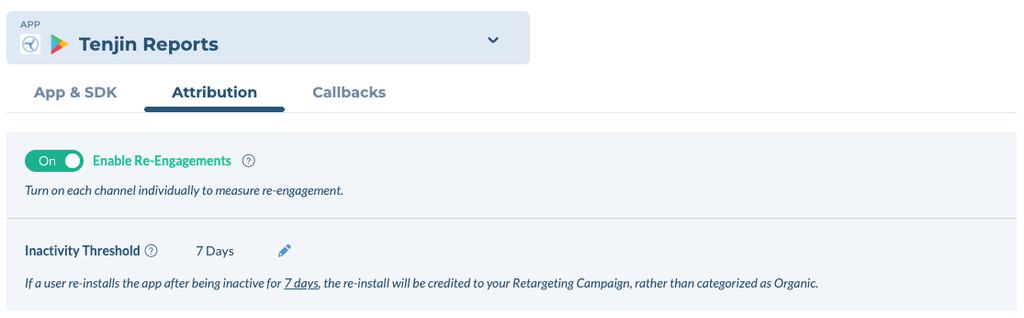
In the app’s Attribution settings, turn on Re-engagement and set the Inactivity threshold.
- The inactivity threshold is how long a user must be inactive before a return can be re-attributed: default 7 days, configurable 1–30, counted in full UTC calendar days.
- A shorter threshold re-attributes more returning users, and sooner. A longer threshold re-attributes fewer, and moves less credit off your acquisition campaigns.
2. Turn on Re-engagement for each channel #
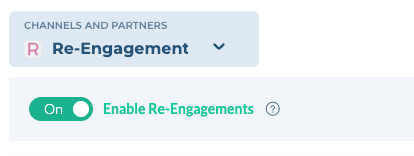
The Re-engagement toggle appears in a channel’s settings once that channel is enabled for Re-engagement on Tenjin’s side.
- If you don’t see it, the channel is still being enabled; contact Tenjin Customer Support.
Either way works; the app switch from step 1 must be on for both.
- Channel toggle: in the channel’s settings for the app, turn on Re-engagement. Every campaign on that channel becomes eligible. Self-attributing networks (Google, Meta, TikTok) support this method only.
- Per campaign: add retargeting=true to the campaign’s tracking link and keep the channel toggle off. Use this when only some campaigns on a channel are retargeting. Non-SAN channels only.
3. Callback to the channel #
- Self-attributing networks: nothing to change; make sure the Install callback is on.
- Other channels: a separate Re-engagement callback needs to be turned on in addition to the Install callback, so the channel can tell a returning user from a new one.