How to analyze “Creatives” in the User Acquisition Report #
Tenjin has a dedicated view for analyzing your creatives data from different campaigns in the User Acquisition Report. In this section, you will be able to drill down into your metrics for your creatives, and access different charts related to your creatives performance.
How can you access the “Creatives” view in the User Acquisition Report? #
You can access this view by going into ANALYZE → User Acquisition tab and choosing Creatives from the drop down menu.
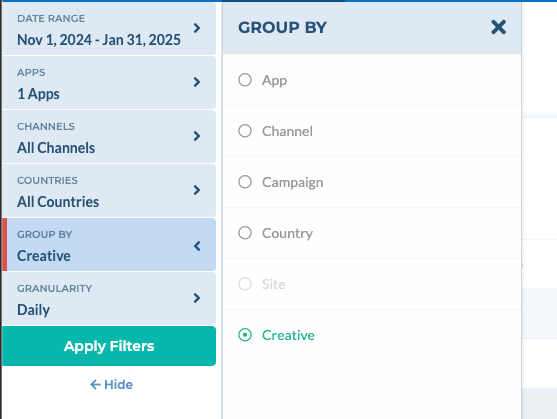
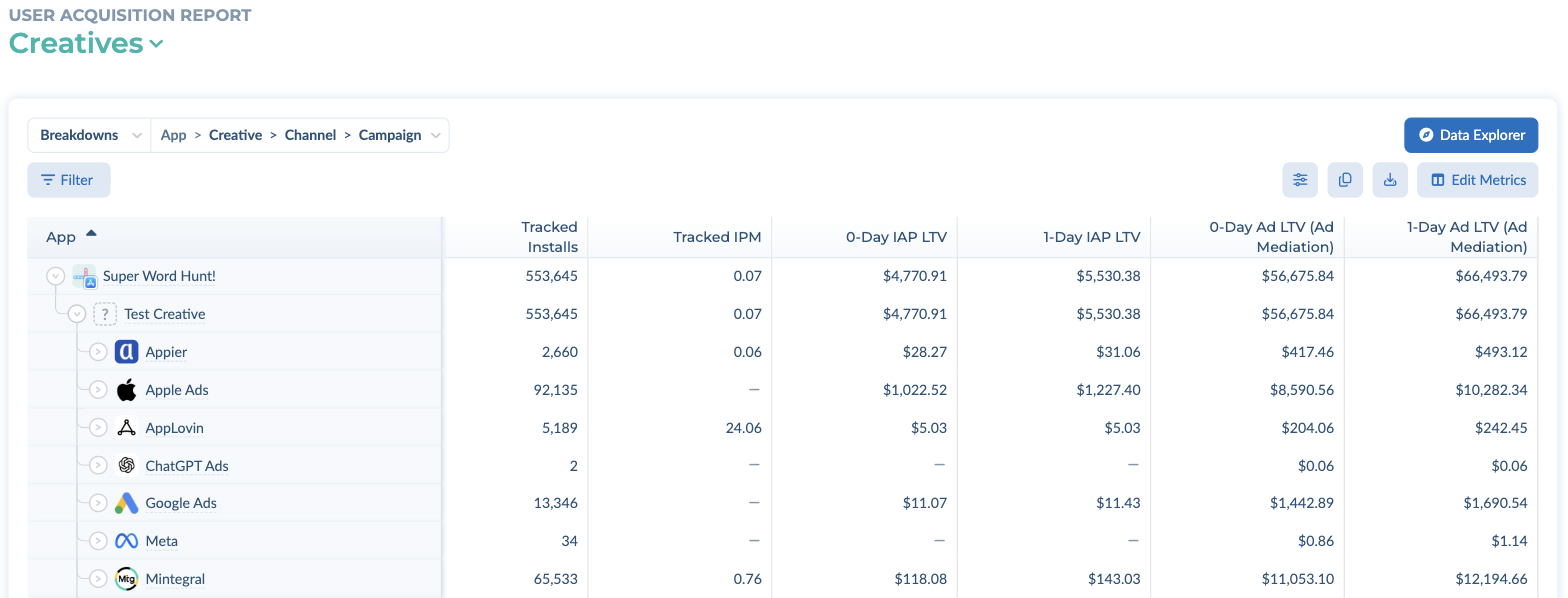
On the Creatives view, the report table is broken down by App > Creative > Channel > Campaign by default, so you can expand an app to see its creatives. To group the charts by creative as well, select Group By → Creative in the left panel.
What metrics can you access in the “Creatives” view of the User Acquisition Report? #
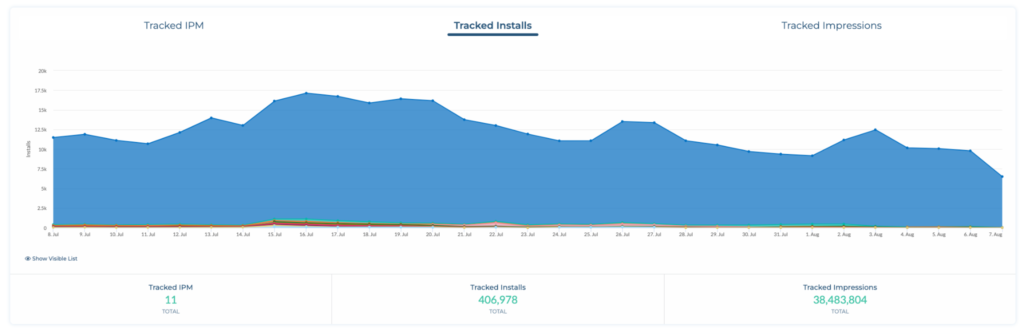
You can currently analyze creative metrics such as
- Tracked Installs
- Tracked IPM (not available for SANs),
- Tracked Impressions (not available for SANs)
- N-Day IAP LTV
- N-Day IAP LTV / User
- N-Day Ad LTV (Ad Mediation)
- N-Day Ad LTV / User (Ad Mediation)
- N-Day All LTV (Ad Mediation + IAP + Subscriptions)
- N-Day All LTV / User (Ad Mediation + IAP + Subscriptions)
The dimensions currently supported are group by app, channel or campaign. Country and Site ID groupings are currently not supported.
Which channels support creative-level data? #
- Self-attributing networks (SANs): Google Ads, Meta, TikTok and Apple Ads.
- Other networks: any network that passes both
creative_idandcreative_namein the Tenjin tracking link.
If a network doesn’t send a creative name, its installs are grouped under Unavailable Creatives (see the FAQ below).