#
What is the default time zone of Tenjin dashboard? #
What are Unavailable channels? #
The most common reason your User Acquisition dashboard may have an Unavailable Channel or Unavailable Campaign is because there is ad revenue that can’t be attributed to users of a specific channel or campaign. This happens when an Ad Network reports ad revenue for a specific country, but we don’t see any events from users in that country.
I don’t see spend for Meta or Google #
If you have set up your Meta or Google channels correctly but don’t see any spend on the dashboard yet, please make sure you add the ad account ID you are trying to pull the spend for. The instructions are here.
How do I request data deletion under GDPR? #
Please reach out to privacy@tenjin.com regarding data deletion requests.
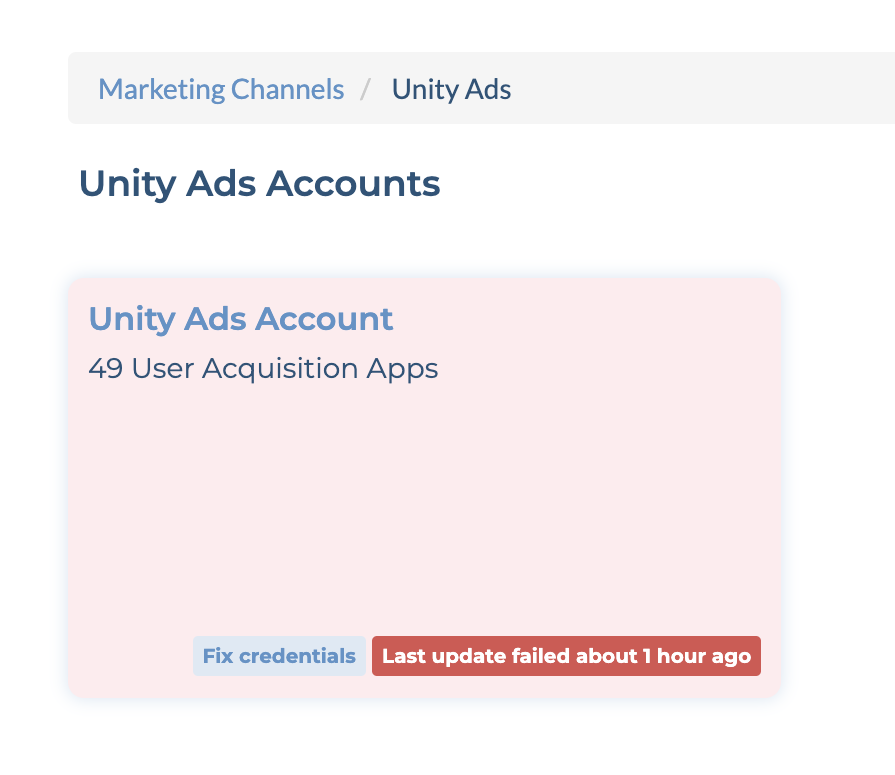
My ad account is showing an error, what should I do? #
This is because we were unable to pull spend or ad revenue data from ad-network API in the last attempt. The most common reasons are:
- One-time server error on the Ad Network side. In this case, we will be able to pull the data during our next attempt.
- Credentials used to pull the data are no longer valid. This could happen when the password on Ad Network dashboard is updated, or the user who authenticated accounts before is no longer in the company.
I see my ad account is suspended, what should I do? #
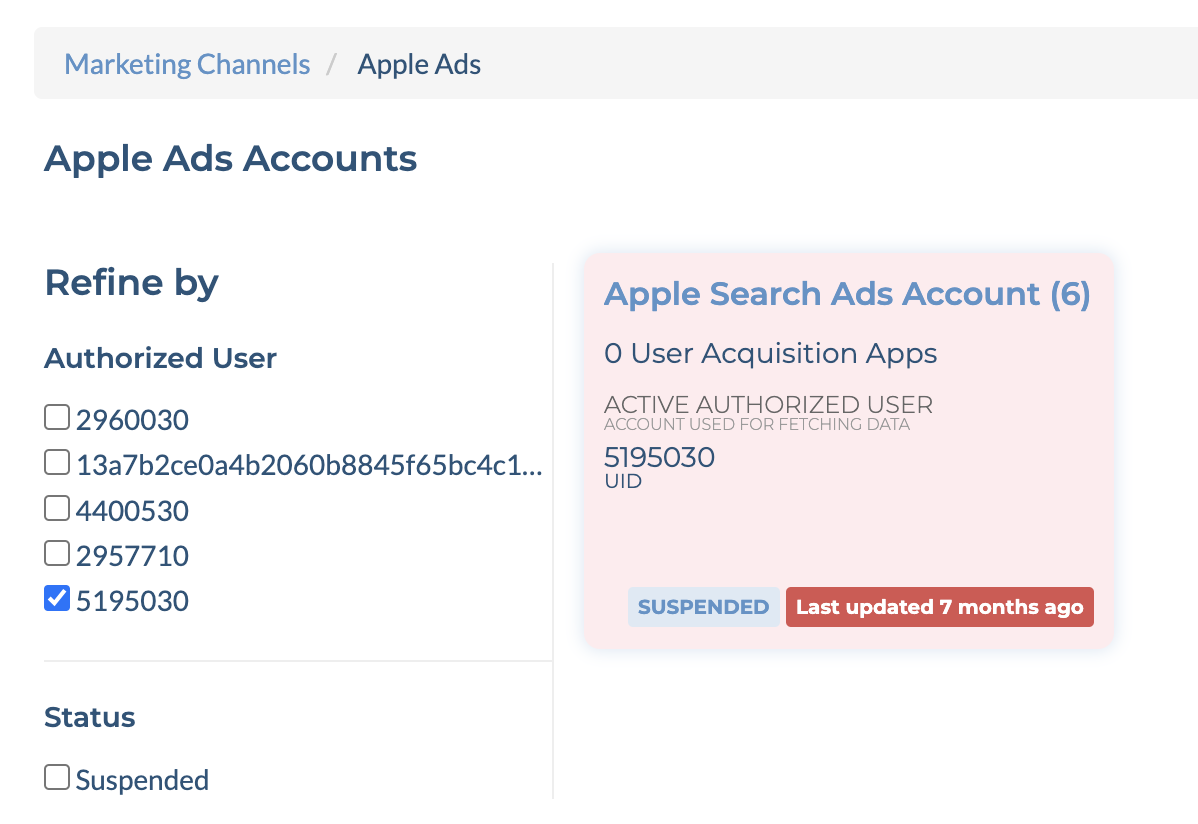
If the ad account has not been working for 1 month, we will automatically suspend the ad account. This means that we won’t automatically try to pull the data for your ad account anymore. To fix it,
- For self-Attribution networks(Meta, Google Ads, Apple Ads for example), please re-authenticate your account, and update the ad account again. The instructions are here.
- For non self-Attribution networks, please double-check your API credentials. The instructions are here.
What time will yesterday’s data be updated on the dashboard? #
Tenjin dashboard uses UTC timezone, and updates every few minutes.
How do campaigns in each network map to Tenjin campaigns? #
Please refer to this sheet. The list is not exclusive. If you want to know the mapping for a channel or campaign that’s not in this list, please contact us at support@tenjin.com.
For which channels do I need to create only 1 Tenjin campaign per app? #
Certain UA channels use the same tracking URL template per app and pass the campaign information to Tenjin upon the click event. For such channels, you need to create only 1 Tenjin campaign to get the tracking URL and use that for all campaigns within the same app. Some of these channels are:
- AXON by AppLovin
- ironSource
- Mintegral
- Tapjoy
- TikTok
- Unity Ads
- Liftoff
How do I migrate data from my existing MMP to Tenjin? #
Migrating your historical data from your existing Attribution provider to Tenjin is super easy. Below are steps you can take for migrating the data from AppsFlyer and Adjust to Tenjin:
For other MMP provider processes and questions, please reach out to us at support@tenjin.com
What is included in Google Ads Reported Installs? #
We count ‘conversions’ and ‘view through conversions’ under the Download Conversion category as Reported Installs.

Why is my Unity Ads Install callback not working? #
The Unity Ads Install callback will successfully fire only once the campaign is live. If the campaign is live and the issue still persists, please email us at support@tenjin.com
What is the minimum budget suggested to start Mintegral ROAS campaigns? #
Mintegral recommends to start with a budget of 200 USD. The goal is to accumulate sufficient data samples for sufficient algorithm optimization. For Tier 3 countries, it might be appropriate to start with a slightly lower budget.
Why is the DT Exchange Ad Revenue data not yet updated for yesterday? #
DT Exchange doesn’t provide Ad revenue data for the current day, and usually doesn’t have it for the previous day on their Reporting API. So the delay expected and will update the previous day’s data after 24 hours.
Why is user-level data not available? #
User-level data access is subjective to data policies and terms from ad networks and could be restricted from customer access.
| Ad Networks | Policy |
|---|---|
| Meta | Row-level data access is restricted by Meta. This data can be now accessed through Meta’s Advanced Measurement (AMM) solution. More details on it here |
| TikTok | User-level data for View-Through Attribution access is restricted by TikTok. Click-Through Attribution Data (CTA) is available. |
| User-level data is currently not available from Reddit. Reminder: Data received about a Reddit Campaign is subject to the Reddit Business Tool Terms, and includes, among other restrictions, a prohibition on using Reddit Data to create profiles of any users. | |
| Snap | Snap requires separate terms and conditions to be signed before user-level data can be shared. Upon execution of the terms, Access to view-through engagement data at the user level remains restricted. Specifically: User-level campaign information is restricted. Attributed touch time is reported by date only. Deeplink URI is unavailable. |
How do I hide or delete my app on Tenjin? #
If you need to hide or delete your app on Tenjin, please contact our support team at support@tenjin.com, and they will assist you with the process.
What is a Conversion and how is it different from Organic? #
A Conversion is when a user installs your app after clicking or viewing an ad, and it’s attributed to that ad source. In contrast, an Organic Install has no ad interaction and comes without Attribution.
What can I check on Tenjin and Meta dashboards to ensure my setup is correct? #
- Make sure you’re using the latest SDK version (iOS > v1.13.0, Unity > v1.14.0).
- Compare spend vs. Reported Installs to confirm reporting data is aligned.
- Ensure the AEM toggle is turned on (this is enabled automatically).
- Check that the Meta callback is active and showing green in your ‘Callback Health’ tab.
- Double-check that the Meta App ID is correctly configured.
How do I test deferred deeplinks end to end in Tenjin? #
TL;DR
- Add
&deeplink_url=<your deeplink>to a Tenjin tracking link and click it on a test device. - Install the app (store, TestFlight, Xcode or adb, any of them works) and open it.
- The SDK returns
deferred_deeplink_urlto the app, and the app routes the user to that page. - Confirm in the dashboard: Live Event Tool → click the device ID on the open event → Device Information → Deferred Deeplink Url.
The app does not need to be live. The deeplink never goes through the App Store or Play Store. Tenjin stores it at click time and matches it to the device on first open.
What you need
- An app build with the Tenjin SDK and the deferred deeplink callback implemented (
getDeeplink/getAttributionInfo). - A test device where the app is not installed.
- A campaign tracking link from the Tenjin dashboard (any non-Facebook channel).
- The device added under Live Event Tool → Test Devices (allow up to 30 minutes to activate). Test device events are kept out of reporting.
Steps
- Build the test link. Copy the tracking link, replace the
advertising_idmacro with the device’s real IDFA / GAID, and append the deeplink:https://track.tenjin.io/v0/<channel>/<campaign_id>?advertising_id=<DEVICE_AD_ID>&deeplink_url=myapp%3A%2F%2Fproduct%3Fid%3D123
The deeplink can be a custom scheme (myapp://...) or an https link. URL-encode it if it contains?or&. - Click the link in the phone’s browser (not from an email client).
- Install the app. Published app: Install from the store page the link opens. Unpublished app: ignore the failed store redirect and Install via TestFlight / Xcode / Play internal testing / adb.
- Open the app. The SDK callback receives
clicked_tenjin_link=trueanddeferred_deeplink_url=<your deeplink>. The app should navigate to that page. - Verify in the dashboard.
- Open the Live Event Tool and find the open event from the device. (The tool itself does not show the deeplink.)
- Click any device ID on the event (
advertising_id,developer_device_idoranalytics_installation_id). - On Device Information → Attribution Details, check Channel, Campaign and Deferred Deeplink Url. That URL is exactly what the SDK returns to the app.